
Yes, a gaming laptop can be used for work. In many cases, it can handle professional tasks better than a standard laptop because it usually includes a powerful processor, dedicated graphics, fast storage, and an advanced cooling system.
A gaming laptop can easily run Microsoft Office, Google Workspace, Zoom, accounting software, programming tools, video-editing applications, graphic-design software, and many other workplace programs.
However, gaming laptops are not automatically the best choice for every worker. They are often heavier, louder, more expensive, and less battery-efficient than business or productivity laptops.
Whether a gaming laptop is suitable for you depends on the type of work you do, how often you travel, the software you use, and whether you need one laptop for both work and gaming.
Can You Use a Gaming Laptop for Everyday Work?
A gaming laptop can perform all common everyday work tasks, including:
- Writing documents in Microsoft Word
- Creating spreadsheets in Microsoft Excel
- Preparing presentations in PowerPoint
- Sending emails
- Browsing the internet
- Joining Zoom, Google Meet, or Microsoft Teams calls
- Using cloud-based business applications
- Managing customer relationship software
- Researching online
- Working with multiple browser tabs
- Connecting external monitors and office accessories
Gaming laptops generally have more processing power than is required for basic office work. This means they can handle multitasking without slowing down, even when several programs are open at the same time.
For example, you can attend a video meeting while running a spreadsheet, keeping multiple browser tabs open, and downloading files in the background.
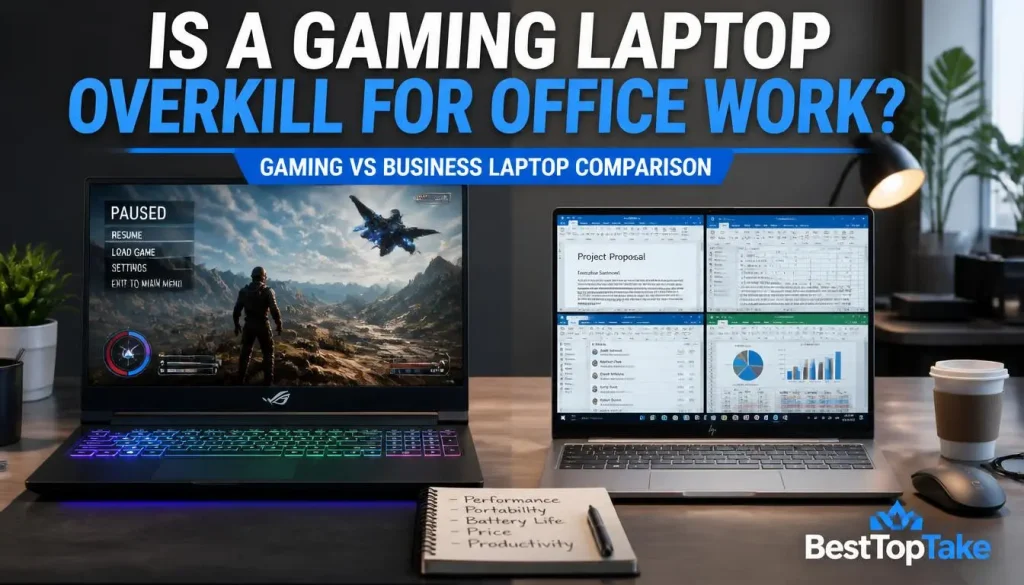
Is a Gaming Laptop Overkill for Basic Office Work?
A gaming laptop may be more powerful than necessary if your daily work is limited to email, web browsing, Word documents, and basic spreadsheets.
For these tasks, a dedicated graphics card provides little practical benefit. A lightweight productivity or business laptop may offer better battery life, quieter operation, and easier portability at a similar price.
A gaming laptop becomes more valuable when you also use demanding software or want to play modern games on the same device.
Why Gaming Laptops Can Be Good for Work
Gaming laptops are designed to handle demanding workloads. Many of the same components that improve gaming performance can also improve productivity.
Powerful Processors for Multitasking
Gaming laptops often include high-performance processors with multiple cores and threads. This can improve performance when running several demanding programs together.
A powerful processor can be useful for:
- Compiling software
- Processing large spreadsheets
- Running virtual machines
- Editing videos
- Compressing large files
- Analysing data
- Rendering 3D projects
- Running local development servers
- Managing multiple applications simultaneously
For basic office work, this level of performance may not be necessary. For technical or creative work, however, it can save time and provide a smoother experience.
Dedicated Graphics for Creative and Technical Work
One of the biggest differences between a gaming laptop and a standard office laptop is the dedicated graphics card.
A dedicated GPU can accelerate tasks such as:
- Video editing
- Motion graphics
- 3D modelling
- 3D rendering
- CAD work
- Game development
- Animation
- AI-assisted creative work
- Machine-learning experiments
- GPU-accelerated image processing
A dedicated graphics card is not essential for email, documents, or web browsing. It becomes important when your software can use GPU acceleration.
More RAM and Faster Storage
Many gaming laptops include at least 16GB of RAM and a fast NVMe solid-state drive.
More RAM helps when you are:
- Working with large files
- Keeping many browser tabs open
- Editing high-resolution media
- Running virtual machines
- Using several applications together
- Working with complex design projects
Fast SSD storage improves startup times, file transfers, software loading, and overall system responsiveness.
Some gaming laptops also allow users to upgrade the RAM or add a second SSD. Upgradeability can extend the useful life of the laptop.
Better Cooling for Demanding Workloads
Gaming laptops are built to manage heat produced by powerful processors and graphics cards. They often include multiple fans, larger heat pipes, and performance-control software.
This cooling capacity can help the laptop maintain performance during long tasks such as:
- Video exporting
- Software compilation
- 3D rendering
- Data processing
- Game development
- Engineering simulations
The disadvantage is that the cooling fans may become loud during demanding work.
More Ports and External Display Support
Gaming laptops often provide a useful selection of ports, which may include:
- USB-A
- USB-C
- HDMI
- Ethernet
- Audio jack
- DisplayPort through USB-C
- Thunderbolt or USB4
- SD card reader
These ports make it easier to connect monitors, keyboards, mice, storage drives, microphones, cameras, and docking stations.
What Types of Work Are Gaming Laptops Good For?
The suitability of a gaming laptop depends heavily on the type of work you perform.
General Office Work
A gaming laptop is more than capable of handling general office work.
It can easily run:
- Microsoft Office
- Google Workspace
- Email applications
- Accounting software
- CRM platforms
- Project-management tools
- Video-conferencing software
Verdict: Good, but often more powerful than necessary.
Programming and Software Development
Gaming laptops can be excellent for programming because they often include fast processors, generous RAM, and good cooling.
They are suitable for:
- Web development
- Mobile-app development
- Software compilation
- Android Studio
- Visual Studio
- Docker containers
- Local databases
- Virtual machines
- Game development
- Multiple-monitor coding setups
Developers who run several services, containers, or virtual environments may benefit from 32GB of RAM.
Verdict: Very good for most developers.
Video Editing and Content Creation
Gaming laptops are commonly used for video editing because their dedicated graphics cards can accelerate previews, effects, rendering, and exporting.
They can run applications such as:
- Adobe Premiere Pro
- DaVinci Resolve
- After Effects
- CapCut Desktop
- OBS Studio
For 1080p editing, a mid-range gaming laptop is usually sufficient. For complex 4K projects, more RAM, additional GPU memory, and faster storage may be necessary.
Display quality is also important. A high refresh rate does not guarantee accurate colours. Editors should check screen brightness, colour coverage, resolution, and calibration.
Verdict: Excellent with the right display and configuration.
Graphic Design and Photo Editing
Gaming laptops can run Photoshop, Illustrator, Lightroom, Affinity Photo, and similar applications without difficulty.
However, designers should not judge a laptop only by its processor and GPU. The display must also reproduce colours accurately.
Look for:
- Good sRGB coverage
- Suitable DCI-P3 coverage for video work
- Consistent brightness
- Accurate factory calibration
- IPS or high-quality OLED panel
- External calibrated-monitor support
Verdict: Good, provided the display is colour-accurate.
3D Modelling, CAD, and Engineering
Gaming laptops can handle many architecture, engineering, and 3D workloads.
They may be suitable for:
- AutoCAD
- Blender
- Revit
- Fusion 360
- SketchUp
- SolidWorks
- 3ds Max
- Unreal Engine
- Unity
A gaming GPU can provide strong performance for many projects. However, some organisations require certified workstation hardware or professional drivers for specialised software.
Verdict: Very good for many users, but verify software certification requirements.
Data Science, Machine Learning, and AI Work
A gaming laptop with a compatible dedicated GPU can be useful for learning, testing, and running smaller machine-learning projects locally.
It may help with:
- Python notebooks
- Data processing
- Local model testing
- GPU-accelerated frameworks
- Computer-vision experiments
- AI image-generation tools
Large models and extremely large datasets may still require a desktop workstation, remote server, or cloud platform.
Verdict: Useful for local development and moderate workloads.
Remote Work and Freelancing
A gaming laptop can be a practical all-in-one device for remote workers and freelancers.
It can support:
- Video calls
- Client presentations
- Design work
- Content creation
- Coding
- Research
- Project management
- Gaming after work
Before choosing one, check the webcam, microphone, battery life, fan noise, charger size, and weight.
Verdict: Good when portability is not the highest priority.
Corporate and Business Work
A gaming laptop can run business software, but technical capability is not the only consideration.
Some employers require:
- Windows Pro
- TPM
- Secure Boot
- BitLocker
- Fingerprint authentication
- Smart-card support
- Device-management software
- Enterprise warranty
- Approved hardware models
A personal gaming laptop may not meet company security or compliance policies.
Verdict: Technically suitable, but employer approval may be required.
Is a Gaming Laptop Good for Working From Home?
A gaming laptop can be an excellent work-from-home computer because it provides strong performance and can connect to a complete desk setup.
At home, the extra weight and shorter battery life are usually less important because the laptop can remain connected to power.
Video Calls, Webcam, and Microphone Quality
Not every gaming laptop includes a high-quality webcam or microphone. Some models prioritise performance while using an average camera.
For frequent meetings, look for:
- A 1080p webcam
- A privacy shutter
- Clear built-in microphones
- Noise-reduction features
- Reliable Wi-Fi
- A dedicated headset connection
An external webcam or microphone can improve meeting quality.
External Monitors and Office Accessories
A gaming laptop can often support one or more external monitors.
A home-office setup may include:
- External monitor
- Full-size keyboard
- Mouse
- Webcam
- Headset
- USB hub
- Docking station
- External storage
This setup can make a gaming laptop feel similar to a desktop computer while preserving the option to move it when needed.
Fan Noise During Meetings
Gaming-laptop fans may become noticeable when the processor or GPU is under load.
During meetings, use silent, eco, or balanced mode where possible. Closing unnecessary background programs can also reduce fan noise.
Electricity Use
A gaming laptop can use more electricity than a lightweight office laptop when its dedicated GPU or high-performance processor is active.
During basic office work, power-saving settings and integrated-graphics mode can reduce unnecessary energy use.
Will Your Work Software Run on a Gaming Laptop?
In most cases, yes. A gaming laptop is still a general-purpose computer. The term “gaming laptop” describes its hardware and design, not a separate type of operating system.
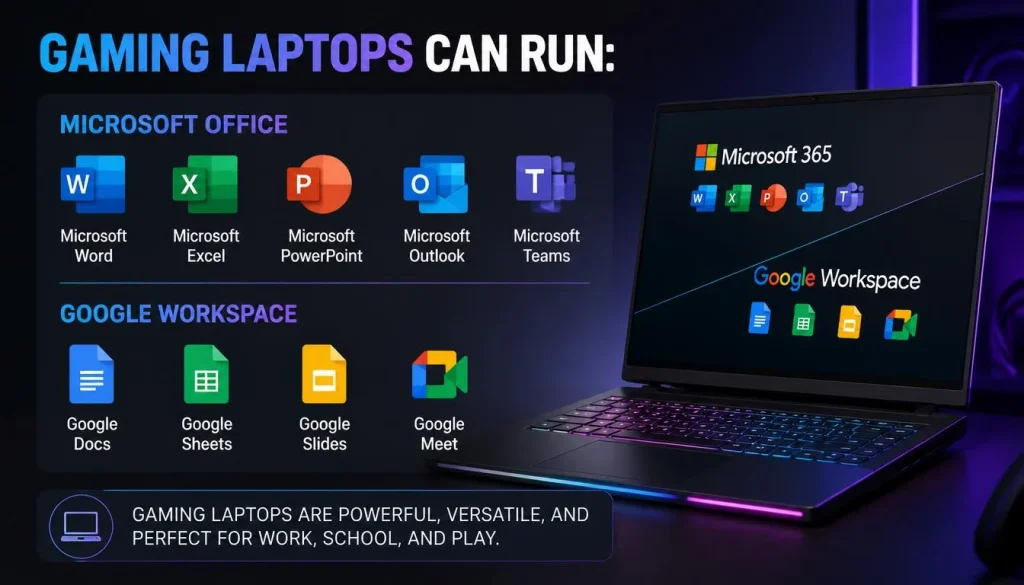
Microsoft Office and Google Workspace
Gaming laptops can run:
- Microsoft Word
- Excel
- PowerPoint
- Outlook
- Microsoft Teams
- Google Docs
- Google Sheets
- Google Slides
- Google Meet
Microsoft Office may not be included with the laptop, so you may need to purchase or activate a subscription separately.
Creative Software
Most gaming laptops can run popular creative applications, including:
- Adobe Photoshop
- Illustrator
- Premiere Pro
- After Effects
- Lightroom
- DaVinci Resolve
- Blender
Performance depends on the processor, GPU, RAM, storage, and project complexity.
Programming and Virtualisation Tools
Gaming laptops can run:
- Visual Studio Code
- Visual Studio
- Android Studio
- Docker
- VirtualBox
- VMware
- Linux virtual machines
- Local servers
- Database platforms
Users who depend on virtual machines or containers should prioritise RAM and processor performance.
Windows Home vs Windows Pro
Many gaming laptops ship with Windows Home. This is sufficient for most personal users and freelancers.
Windows Pro may be preferable when you need features such as:
- BitLocker
- Remote Desktop hosting
- Domain joining
- Group Policy
- Business device management
Check your employer’s requirements before purchasing.
Linux Compatibility
Many gaming laptops can run Linux, but compatibility varies.
Check support for:
- Wi-Fi
- Dedicated graphics
- Hybrid graphics switching
- Keyboard lighting
- Touchpad
- Audio
- Sleep mode
- Manufacturer control software
Research the exact model rather than assuming all laptops from the same brand behave identically.
Advantages of Using a Gaming Laptop for Work
A gaming laptop can offer several benefits for professional users.
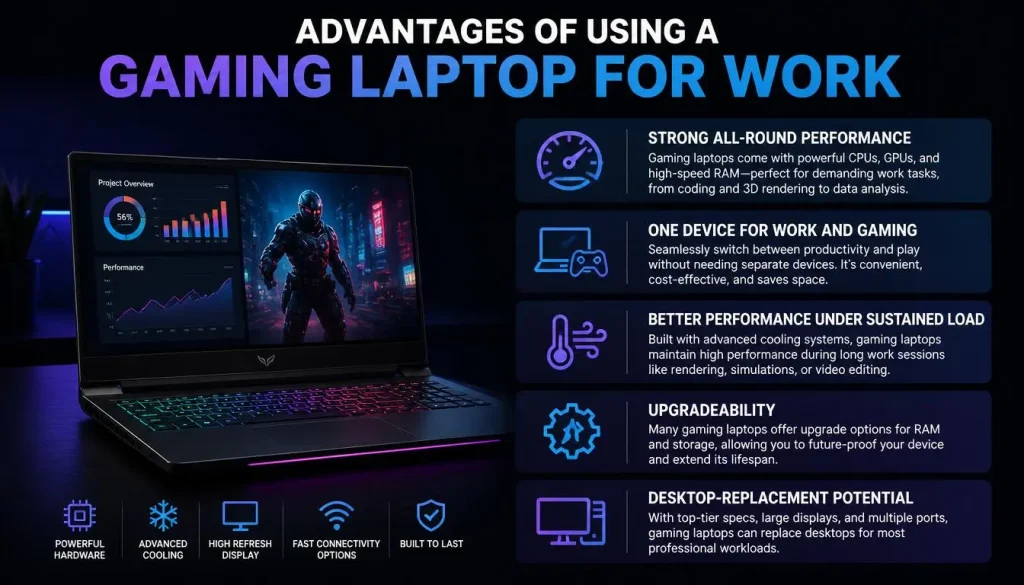
Strong All-Round Performance
A gaming laptop can handle both light office tasks and demanding applications. This makes it suitable for people whose workloads vary throughout the day.
One Device for Work and Gaming
Using one laptop can reduce the need to buy a separate gaming computer and work computer.
This can be cost-effective for:
- Students
- Freelancers
- Developers
- Designers
- Content creators
- Remote workers
Better Performance Under Sustained Load
The cooling system may help maintain performance during long rendering, editing, or compilation tasks.
Upgradeability
Some gaming laptops allow users to upgrade RAM and storage. This is becoming less common in thin productivity laptops.
Desktop-Replacement Potential
When connected to a monitor, keyboard, mouse, and other accessories, a gaming laptop can serve as a powerful desktop replacement.
Disadvantages of Using a Gaming Laptop for Work
Gaming laptops also have disadvantages that should be considered before purchase.
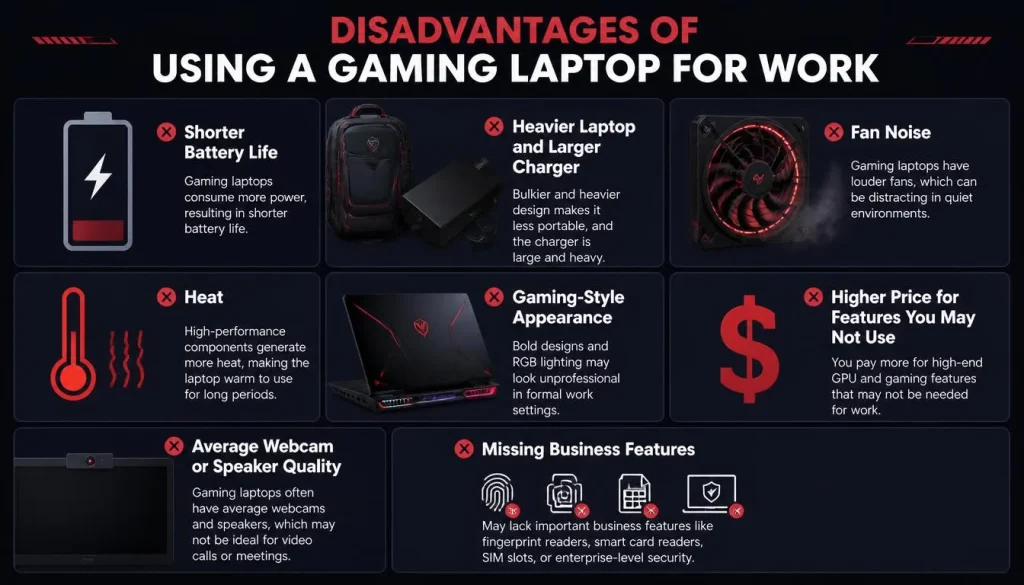
Shorter Battery Life
Powerful processors, dedicated graphics, and high-refresh-rate displays can reduce battery life.
Battery performance varies greatly by model. A gaming laptop may last much longer during basic document work than during gaming, rendering, or video editing.
Heavier Laptop and Larger Charger
Gaming laptops are often heavier than productivity laptops. Their power adapters can also be large.
This matters if you:
- Commute daily
- Travel frequently
- Work from cafés
- Move between classrooms
- Carry the laptop for long periods
The laptop and charger should be considered together when evaluating portability.
Fan Noise
Gaming laptops may become loud during demanding tasks.
Fan noise can be distracting in:
- Meetings
- Libraries
- Shared offices
- Recording environments
- Quiet classrooms
Silent or balanced performance modes can help, but they may reduce performance.
Heat
Powerful components generate heat. During intensive workloads, the keyboard, underside, or exhaust areas may become warm.
To improve cooling:
- Use the laptop on a hard, flat surface
- Keep vents clear
- Use a laptop stand
- Clean dust from vents periodically
- Avoid using it on a bed or sofa
Gaming-Style Appearance
Some gaming laptops use RGB lighting, aggressive shapes, and large logos.
This may not suit formal workplaces or client meetings. Many models allow RGB lighting to be disabled, and some gaming laptops have a simple, professional design.
Higher Price for Features You May Not Use
A dedicated GPU can increase the price of a laptop. If you only use documents, email, and web applications, you may be paying for hardware that provides little benefit.
Average Webcam or Speaker Quality
Some gaming laptops focus on processing power while offering only average webcams, speakers, or microphones.
These features should be checked separately when remote communication is important.
Missing Business Features
A gaming laptop may lack:
- Smart-card reader
- Mobile broadband
- Enterprise BIOS controls
- On-site support
- Long business warranty
- Certified workstation drivers
- Advanced docking features
Does a Gaming Laptop Work Differently When Unplugged?
Many gaming laptops provide their best performance while connected to the original charger.
Why Performance May Drop on Battery
The battery may not be able to supply the same sustained power as the charger. Manufacturers therefore reduce CPU and GPU performance to protect battery life and manage heat.
This is most noticeable during:
- Gaming
- Rendering
- Video exporting
- AI processing
- 3D work
- Heavy compilation
Basic office tasks may still run smoothly on battery.
Can You Do Office Work Without the Charger?
Yes. Documents, email, browsing, and video calls usually work normally on battery.
- Use integrated graphics
- Lower screen brightness
- Reduce the refresh rate
- Select battery-saver mode
- Turn off RGB lighting
- Close unnecessary applications
- Disable unused wireless features
Can You Keep a Gaming Laptop Plugged In All Day?
Most modern laptops manage charging automatically. However, keeping the battery at maximum charge continuously may contribute to battery wear over time.
Many gaming laptops include a battery-charge limit that can stop charging at a selected level. This is useful when the laptop remains connected to power most of the day.
Gaming Laptop vs Business Laptop for Work
| Feature | Gaming Laptop | Business Laptop |
|---|---|---|
| Processor performance | Usually high | Moderate to high |
| Graphics performance | Usually stronger | Often integrated |
| Battery life | Usually shorter | Usually longer |
| Weight | Often heavier | Often lighter |
| Fan noise | Can be louder | Usually quieter |
| Professional appearance | Depends on model | Usually professional |
| Enterprise security | Varies | Often stronger |
| Upgradeability | Often better | Depends on model |
| Gaming performance | Excellent | Usually limited |
| Creative workloads | Often very good | Depends on configuration |
| Business warranty | Varies | Often better |
| Portability | Moderate | Usually better |
Choose a Gaming Laptop When:
- You need strong CPU or GPU performance
- You edit video regularly
- You use 3D or CAD software
- You develop games
- You want one laptop for work and gaming
- You usually work near a power outlet
- You do not mind additional weight
Choose a Business Laptop When:
- Your work is mainly documents, meetings, and browsing
- You travel frequently
- You need long battery life
- Quiet operation is important
- Your employer requires enterprise security
- You need a lightweight device
- You want business-grade support
Gaming Laptop vs Workstation Laptop
A workstation laptop is designed for specialised professional applications, while a gaming laptop is primarily designed for gaming and high general performance.
| Area | Gaming Laptop | Workstation Laptop |
|---|---|---|
| Main purpose | Gaming and general performance | Professional certified workloads |
| GPU | Consumer gaming GPU | Professional or workstation GPU |
| Drivers | Gaming and general-use drivers | Application-focused drivers |
| CAD performance | Often strong | Better for certified workflows |
| Enterprise support | Varies | Usually stronger |
| Price | Often better value | Usually more expensive |
| Gaming ability | Excellent | Not always optimised |
| Software certification | Limited | More common |
When a Gaming Laptop Is Enough
A gaming laptop may be enough for:
- Blender
- AutoCAD
- Video editing
- Game development
- General 3D work
- Student engineering projects
- Freelance design work
When You May Need a Workstation
A workstation may be better when:
- Your employer requires certified hardware
- You work with mission-critical CAD projects
- You need professional GPU drivers
- Software stability is more important than gaming performance
- You require specialised enterprise support
What Specifications Should a Gaming Laptop Have for Work?
The ideal specifications depend on your workload.
Processor
For general office work, a modern mid-range processor is usually sufficient.
For programming, editing, rendering, and technical workloads, a higher-performance processor with more cores may provide better results.
Do not judge a processor only by its brand name. Generation, power limits, cooling, and the exact model all affect performance.
RAM
A practical guide is:
- 16GB: Office work, general programming, multitasking, and moderate creative work
- 32GB: 4K editing, large projects, virtual machines, and professional multitasking
- 64GB or more: Specialised engineering, rendering, scientific, or data workloads
Check whether the memory is upgradeable.
Graphics Card
The required GPU depends on your work:
- Integrated graphics: Office tasks, browsing, and basic programming
- Entry-level dedicated GPU: Light editing and design
- Mid-range dedicated GPU: Video editing, gaming, 3D modelling, and development
- High-end dedicated GPU: Complex rendering, AI, advanced 3D, and demanding professional workloads
GPU memory is important for high-resolution textures, complex scenes, large AI models, and advanced video projects.
Storage
A 512GB SSD may be enough for office work and light use. A 1TB SSD is often more practical for users who store games, videos, design files, or development tools.
Consider:
- Second SSD slot
- External SSD support
- Cloud storage
- Regular backups
- Storage-upgrade options
Display
Important display features include:
- Full HD or higher resolution
- Adequate brightness
- Anti-glare coating
- Good viewing angles
- Accurate colours
- Suitable screen size
- External-monitor support
A high refresh rate improves motion smoothness but does not automatically improve colour accuracy.
Battery and Portability
Check:
- Laptop weight
- Charger weight
- Battery capacity
- Independent battery reviews
- USB-C charging support
- Battery-charge limit
- Performance when unplugged
USB-C charging may support office work but may not provide enough power for maximum gaming or rendering performance.
Webcam, Keyboard, and Connectivity
For professional use, consider:
- 1080p webcam
- Privacy shutter
- Comfortable keyboard
- Accurate trackpad
- Number pad
- Wi-Fi quality
- Ethernet port
- HDMI
- USB-C
- Thunderbolt or USB4
- SD card reader
Can You Use a Personal Gaming Laptop for Company Work?
You may be able to use a personal gaming laptop for company work, but you should check your employer’s bring-your-own-device policy first.
Some companies allow personal devices, while others require managed company hardware.
Company Security Requirements
Your employer may require:
- Device encryption
- Antivirus software
- VPN access
- Secure Boot
- TPM
- Automatic updates
- Device-management software
- Separate user accounts
- Remote data removal
Keep Work and Personal Data Separate
Create a separate work account on the laptop. Avoid mixing company files with personal games, downloads, and applications.
You should also:
- Use strong passwords
- Enable multi-factor authentication
- Back up important files
- Keep the operating system updated
- Avoid untrusted software
- Follow company data policies
A laptop can be technically powerful enough for work but still fail an employer’s compliance requirements.
Is a Gaming Laptop Comfortable for an Eight-Hour Workday?
A gaming laptop can be used for a full workday, but comfort depends on the design.
Keyboard Comfort
Check the keyboard layout, key travel, spacing, number pad, and palm-rest temperature.
A keyboard designed for gaming may still be comfortable for typing, but preferences vary.
Trackpad Quality
Gaming-laptop users often use a mouse, so some models have smaller or less refined trackpads than premium business laptops.
Frequent travellers should test trackpad size and accuracy.
Screen Comfort
For long work sessions, prioritise:
- Adequate brightness
- Anti-glare coating
- Sharp text
- Comfortable scaling
- Flicker-free operation
- Good viewing angles
Improve Ergonomics
For a permanent desk setup, use:
- Laptop stand
- External monitor
- Separate keyboard
- Ergonomic mouse
- Supportive chair
Raising the screen closer to eye level can reduce neck strain.
How Long Will a Gaming Laptop Last for Work?
A gaming laptop can remain useful for several years when properly maintained. Its actual lifespan depends on build quality, cooling, battery health, workload, and upgradeability.
Factors That Affect Lifespan
- Heat
- Dust
- Battery wear
- Heavy daily use
- Poor ventilation
- Limited RAM
- Insufficient storage
- Physical damage
- Software support
Maintenance Tips
- Keep vents clear
- Clean dust periodically
- Avoid blocking airflow
- Install operating-system and driver updates
- Use battery-charge limits when available
- Back up important data
- Monitor storage health
- Replace the battery when necessary
Upgradeability
A laptop with upgradeable RAM and storage may remain useful longer than a model with permanently fixed components.
Warranty and Repair Support
Business laptops often provide better on-site support and longer warranty options. Gaming-laptop warranty quality varies by manufacturer and region.
Before buying, check:
- Warranty duration
- Accidental-damage options
- Local service availability
- Battery coverage
- Replacement-part availability
How to Make a Gaming Laptop Better for Work
You can improve productivity and battery life with a few adjustments.
Disable RGB Lighting
Turn off or reduce keyboard and chassis lighting in professional environments.
Use Silent or Balanced Mode
Use performance mode only when demanding work requires it. Silent or balanced mode may be better for meetings and office tasks.
Switch to Integrated Graphics
Hybrid or integrated-graphics mode can reduce battery usage during basic work.
Reduce the Refresh Rate
Lowering the display from a high refresh rate to 60Hz can improve battery life.
Create Separate Work and Gaming Accounts
Separate accounts help organise files, notifications, applications, and security settings.
Connect an External Monitor
A larger monitor improves multitasking and reduces the limitations of a smaller laptop screen.
Use a Laptop Stand
A stand can improve airflow and raise the screen to a more comfortable height.
Enable Battery-Charge Limits
Set a charging limit when the laptop remains plugged in most of the time.
Improve Security
Enable:
- Device encryption
- Automatic updates
- Multi-factor authentication
- Strong passwords
- Regular backups
- Screen locking
- Approved antivirus protection
Can a Gaming Laptop Be Your Only Computer?
A gaming laptop can serve as your only computer if it meets both your work and entertainment needs.
It is especially practical for users who:
- Need high performance
- Work from a fixed location
- Play games regularly
- Use creative software
- Want a desktop replacement
- Prefer one device instead of two
It may be less suitable as your only computer if you travel constantly, need all-day battery life, or require enterprise-specific features.
Should You Use a Gaming Laptop for Work?
A Gaming Laptop Is a Good Choice If:
- You work with demanding software
- You edit video or create 3D content
- You develop software or games
- You need strong multitasking performance
- You want one computer for work and gaming
- You usually have access to a power outlet
- You do not mind additional weight or fan noise
Choose a Regular or Business Laptop If:
- You mainly use documents, email, and web applications
- You travel frequently
- You need longer battery life
- Quiet operation is essential
- Your employer requires business security features
- You want a smaller charger
- You prefer a lightweight device
Final Verdict
A gaming laptop can be an excellent work laptop, especially for programming, video editing, 3D modelling, engineering, graphic design, game development, and other performance-intensive tasks.
It can also handle ordinary office work without difficulty. However, basic office users may not benefit enough from the dedicated graphics card to justify the extra weight, cost, noise, and reduced battery life.
Choose a gaming laptop when you need strong performance or want one device for both work and gaming. Choose a business or productivity laptop when portability, battery life, quiet operation, and enterprise features are more important.
The best decision is not based on the word “gaming” in the product name. It is based on whether the laptop’s performance, display, battery, ports, security, and design match your actual work requirements.
Frequently Asked Questions About Can a Gaming Laptop Be Used for Work
Can a gaming laptop be used for office work?
Yes. A gaming laptop can run Microsoft Office, email, web browsers, video-conferencing software, accounting tools, and other office applications.
Is a gaming laptop good for working from home?
Yes. It can be especially useful in a home office because it can remain connected to power and support external monitors, keyboards, and other accessories.
Can gaming laptops run Microsoft Office?
Yes. Gaming laptops can run Microsoft Office. However, an Office licence or subscription may need to be purchased separately.
Is a gaming laptop good for programming?
Yes. Gaming laptops are often good for programming because they usually have powerful processors, sufficient RAM, fast SSD storage, and effective cooling.
Can a gaming laptop be used for video editing?
Yes. A dedicated graphics card can improve video previews, effects, rendering, and export performance. Display quality and RAM should also be considered.
Are gaming laptops good for graphic design?
They can be. Designers should choose a model with an accurate display rather than focusing only on processor and graphics performance.
Can I use a personal gaming laptop for company work?
Possibly. Check your employer’s BYOD, security, software, and device-management requirements before using a personal laptop for company data.
Can I keep a gaming laptop plugged in all day?
Yes, but using a battery-charge limit may help reduce long-term battery wear when the laptop remains connected to power regularly.
Does a gaming laptop become slower when unplugged?
It may. Many gaming laptops reduce CPU and GPU performance on battery to extend runtime and protect the battery.
Are gaming laptops too loud for office use?
Some can be loud during demanding tasks. Silent or balanced performance modes may reduce fan noise during office work and meetings.
Is a gaming laptop comfortable for long work hours?
It can be, but comfort depends on the keyboard, display, heat, weight, and workstation setup. An external monitor, keyboard, and laptop stand can improve ergonomics.
How much RAM do I need for gaming and work?
For most users, 16GB is a practical minimum. Consider 32GB for video editing, virtual machines, large design projects, or heavy multitasking.
Is a gaming laptop better than a business laptop?
A gaming laptop is generally better for graphics-intensive performance. A business laptop is usually better for portability, battery life, enterprise security, and professional support.
Can a gaming laptop replace a desktop computer?
Yes. A powerful gaming laptop connected to an external monitor, keyboard, and mouse can function as a desktop replacement.
How long does a gaming laptop last for work?
A well-maintained gaming laptop can remain useful for several years. Lifespan depends on cooling, battery health, build quality, workload, repairability, and upgrade options.

“Electronics aren’t just gadgets. They’re the invisible threads that connect our work, our play, and our world.”
I’m Julian Reed, and my obsession with tech started at age twelve, when I soldered a defunct gaming console back to life in my bedroom. That tiny green screen taught me that technology isn’t just a black box, it’s a tool you can master.
After fifteen years as a hardware engineer and a decade reviewing consumer tech, I’ve joined this team to cut through the jargon. Whether you’re building a high-end home theater or just need a laptop that won’t lag, I’m here to help you choose the gear that truly powers your life.


