
Buying a gaming laptop can get confusing fast. One model has a powerful graphics card, another offers a faster display, and a third promises impressive performance at a lower price. On paper, they may look similar. In actual games, however, the experience can be very different.
The biggest mistake is choosing a laptop based on its brand name, a single specification, or a discount that looks too good to miss. A gaming laptop needs to match the games you play, the performance you expect, and the amount you can comfortably spend.
Whether you are shopping in the USA, UK, Canada, or Australia, the same principle applies: choose a laptop for your needs, not simply the highest specifications you can afford.
In this guide, I will walk you through the ten things worth checking before you buy. You will learn how to compare graphics cards, processors, displays, cooling systems, and other features without getting lost in technical details.
Quick Answer: How Do You Choose a Gaming Laptop?
To choose a gaming laptop, start with your budget and the games you want to play. Decide whether you need 1080p, 1440p, or higher-resolution gaming, then choose a suitable GPU and CPU combination. Check RAM, SSD storage, display quality, cooling performance, portability, and upgrade options. Finally, compare benchmarks for the exact laptop configuration, read independent reviews, and verify the warranty and return policy before buying.
1. Set Your Budget and Gaming Priorities
Before comparing laptops, decide how much you can spend. This simple step prevents you from paying for features that add little value to your gaming experience.
You do not need the most expensive gaming laptop to enjoy your favorite games. The right choice depends on what you play and how well you expect those games to run.
What Can You Expect From Different Gaming Laptop Budgets?
Gaming laptops generally fall into three broad categories.
| Budget category | What to expect | Who should consider it |
|---|---|---|
| Entry-level | Suitable performance for many less-demanding games and some modern titles at adjusted settings | Casual gamers and buyers with limited budgets |
| Mid-range | A stronger balance of graphics performance, display quality, and overall value | Players who want a good all-around gaming experience |
| High-performance | More graphics power, premium displays, and better options for demanding games or higher resolutions | Enthusiasts, competitive players, and content creators |
These categories are relative, not fixed price brackets. Prices and configurations vary between countries, retailers, and sales periods.
A budget laptop might handle esports games well but struggle with a demanding new game at high graphics settings. A more powerful model may deliver a better experience, but only if its additional performance matters to you.
If affordability is your main concern, read our guide to the best cheap laptops and how to choose one. Use it alongside this gaming-specific guide to decide which compromises make sense.
Do Not Spend Your Entire Budget on the Laptop Alone
Remember to account for accessories and other costs. You might need a gaming mouse, headset, external storage, or monitor.
For example, a laptop with a smaller SSD could initially seem like a bargain. Once you add the cost of storage you need, a model with a larger SSD might offer better value.
Set a maximum budget and compare the complete package rather than focusing only on the advertised laptop price.
2. Choose a Laptop Based on the Games You Play
The games you intend to play should influence almost every buying decision.
A laptop designed for lightweight competitive games does not necessarily need the same hardware as one intended for demanding open-world games with detailed graphics.
Casual and Lightweight Games
If you mainly play older games, indie titles, or less-demanding games, an entry-level or mid-range gaming laptop may be sufficient.
Check the recommended system requirements for each game rather than assuming every game needs a powerful dedicated graphics card.
Competitive Games and High Frame Rates
Games that reward quick reactions can benefit from strong CPU and GPU performance and a high-refresh-rate display.
However, a 240Hz screen will not automatically make a laptop deliver 240 frames per second. The graphics settings, game, CPU, GPU, and other system limitations all affect the actual frame rate.
Choose a combination that can deliver the performance you want rather than paying extra for a display specification your hardware rarely reaches.
Demanding AAA Games
Modern graphically demanding games often benefit from a stronger dedicated GPU, sufficient video memory, and effective cooling.
Consider the following before choosing your laptop:
- Which games do you want to play?
- Will you use low, medium, high, or ultra graphics settings?
- Do you expect to play at 1080p or 1440p?
- Would you prefer higher frame rates or more detailed graphics?
- Do you plan to use ray tracing or other demanding visual features?
Check the publisher’s official system requirements when available. For example, Epic Games’ official Fortnite PC requirements distinguish between minimum, recommended, and higher-quality hardware requirements.
Use the requirements for your actual games, not just one popular title, to guide your decision.
Gaming, Streaming, and Video Editing
If you also stream games, record footage, edit videos, or run several applications while playing, consider a more capable CPU, additional RAM, and enough SSD storage.
A laptop that performs well in a game by itself may behave differently when several demanding applications run together.
The aim is to choose hardware that supports your complete workload without spending unnecessarily on performance you will rarely use.
3. Choose the Right GPU for Your Gaming Needs
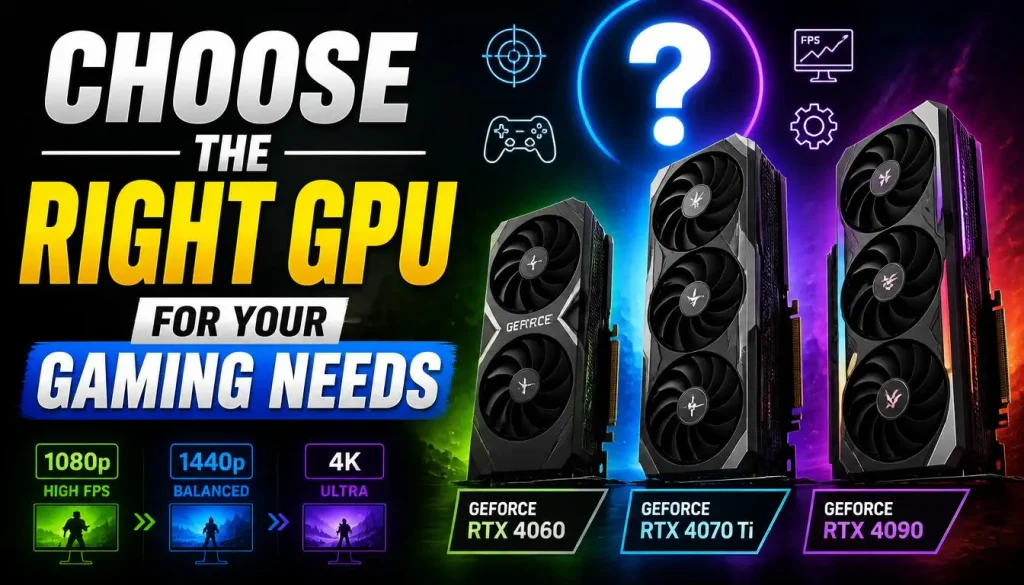
The graphics processing unit, or GPU, is one of the most important components in a gaming laptop. It has a major influence on graphics quality, frame rates, and the types of games you can play comfortably.
Most dedicated gaming laptops use a discrete GPU from NVIDIA or AMD. Some systems use integrated graphics, which can be adequate for light gaming but are generally less suitable for demanding modern games.
Check More Than the GPU Name
A common mistake is to compare two laptops by looking only at their advertised GPU names.
Two laptops with the same named GPU can deliver different performance because of differences in power limits, cooling, and the laptop’s overall design.
Before buying, check:
- The exact GPU model and generation.
- Dedicated video memory, also called VRAM.
- The laptop GPU’s power configuration, where disclosed.
- Independent gaming benchmarks.
- Performance at the resolution and graphics settings you plan to use.
Do not assume a laptop is faster just because its product listing uses a familiar GPU name.
How Much VRAM Do You Need?
VRAM stores graphics data, including textures and other resources used by games. The amount you need depends on the game, resolution, texture quality, and graphics features.
More VRAM can help with demanding workloads, but it does not guarantee higher performance by itself. The GPU’s processing power and memory bandwidth also matter.
Look at the requirements for your intended games and compare real-world tests before paying extra for a particular graphics configuration.
Compare Real Gaming Performance
When researching a laptop, look for benchmarks showing average FPS and, where available, frame-time consistency or 1% low FPS.
These measurements help you understand whether the laptop can deliver a smooth experience rather than focusing on a single impressive result.
For a broader look at current options, see our gaming laptop comparison guide. Compare its recommendations against the exact model and configuration available to you, because prices and specifications can change.
4. Balance CPU Performance, RAM, and SSD Storage
After choosing an appropriate GPU, check whether the rest of the hardware supports the gaming experience you want.
A powerful graphics card paired with an unsuitable processor, insufficient memory, or limited storage can create an unbalanced system.
Choose a Suitable CPU
The CPU handles game logic, background processes, and many other tasks. It is particularly important in CPU-intensive games, simulation titles, strategy games, and workloads involving streaming or content creation.
Compare the exact processor model rather than relying only on general labels such as Core i5, Core i7, or Ryzen 7.
Generation, architecture, power limits, and cooling can affect performance. Also, a more expensive CPU is not always the best purchase if it forces you to choose a substantially weaker GPU.
For most gaming-focused buyers, the best approach is to balance the processor and graphics card against the games and frame rates they expect.
How Much RAM Does a Gaming Laptop Need?
For many modern gaming laptops, 16GB of RAM is a practical starting point. It can provide a reasonable balance for gaming and everyday multitasking.
However, 32GB may be worthwhile if you frequently stream, edit video, run memory-intensive applications, or keep several demanding programs open while gaming.
Before buying, check whether the memory is upgradeable. Some laptops have soldered memory, while others provide accessible slots.
Our guide on how to upgrade RAM in a gaming laptop explains the upgrade process in greater detail.
Do not assume that every laptop can accept more RAM later. Verify the manufacturer’s specifications for the exact model.
How Much SSD Storage Should You Choose?
A 512GB SSD may be enough for a modest game library, but it can fill up quickly when you install several large games alongside applications, recordings, and personal files.
A 1TB SSD is a useful option for many gamers who want more room from the start. People with large game libraries or extensive video files may prefer additional capacity.
Also check whether the laptop has an available M.2 slot or another supported storage expansion option.
An SSD generally improves boot and loading times compared with a traditional hard drive, but storage speed alone does not determine gaming performance.
Buying tip: Check the total cost of the configuration you actually need. A slightly more expensive laptop with sufficient RAM and storage from day one may offer better value than a cheaper model that requires immediate upgrades.
5. Pick the Right Display for Your Gaming Style
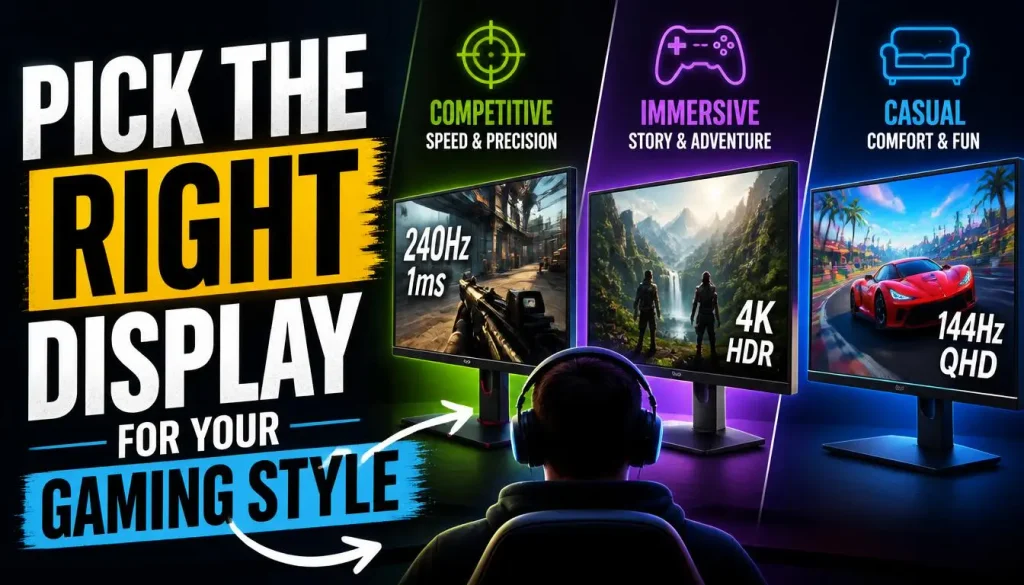
The display is where you see the results of your laptop’s hardware. Choosing the right one can improve your experience, while paying extra for unnecessary features can waste your budget.
Choose the Right Screen Size
Common gaming laptop sizes include 14-inch, 15.6-inch, 16-inch, and 18-inch models.
Smaller laptops are often easier to carry, while larger models can provide more screen space and, depending on the design, more room for cooling hardware.
Think about where you will use the laptop most often. A system that stays on a desk can be larger and heavier than one you carry to classes, work, or travel regularly.
1080p, 1440p, or 4K?
Resolution affects image sharpness and the amount of graphics processing required.
- 1080p: A sensible choice for many budget-conscious gamers and people who prioritize frame rates.
- 1440p: Offers a sharper image and can be a good balance between detail and performance with suitable hardware.
- 4K: Provides additional detail but requires substantially more graphics performance for demanding games at high settings.
A higher-resolution screen is not automatically the better choice. If your GPU cannot run demanding games smoothly at that resolution, you may have to lower graphics settings or use upscaling features.
Choose the display and graphics hardware together.
What About Refresh Rate and Response Time?
Refresh rate, measured in hertz (Hz), describes how often the display can refresh its image each second.
A 144Hz display can show more frequent updates than a 60Hz display, provided your system delivers suitable frame rates. Higher refresh rates can be particularly useful in fast-paced competitive games.
Response time also matters because it relates to how quickly pixels change from one state to another. Poor response behavior can contribute to visible smearing during motion.
Check the actual review of the display rather than relying on its advertised refresh rate alone.
Check Brightness and Panel Quality
Display quality matters if you also use your laptop for work, films, or creative tasks.
Look for reliable information about brightness, contrast, color coverage, viewing angles, and panel type. OLED panels can offer excellent contrast, while well-designed LCD panels can also deliver good gaming experiences.
Features such as G-SYNC, FreeSync, or other variable-refresh technologies can help match display updates with GPU output when supported by the particular laptop and configuration.
The best display is the one that fits your gaming style, environment, and budget.
6. Evaluate Cooling and Long-Session Performance
Gaming laptops generate heat during demanding workloads. Their cooling systems must manage that heat while keeping performance and noise at acceptable levels.
This is why two laptops with similar advertised specifications can feel different during extended gaming sessions.
Check Independent Thermal Tests
Look for reviews that measure temperatures, fan noise, and performance during sustained workloads.
A laptop that performs well in a short benchmark may behave differently after a longer gaming session. If cooling cannot keep temperatures and power consumption within the system’s operating limits, performance may drop.
Useful review information includes:
- CPU and GPU temperatures under load.
- Fan noise during gaming.
- Performance after extended use.
- Whether the laptop maintains consistent frame rates.
- Whether the keyboard and palm rest become uncomfortable.
Temperature results depend on the workload, ambient temperature, power settings, and testing method, so compare measurements from similar conditions.
Do Not Confuse Loud Fans With Poor Cooling
Gaming laptop fans can become noticeably louder during demanding games. That does not automatically indicate a fault.
What matters is whether the laptop maintains reasonable performance and operates within its designed limits.
Before buying, read owner experiences and independent tests for the exact model. If you’re already dealing with excessive noise, our guide to gaming laptop fans that are too loud covers the common causes and possible fixes.
Consider the Chassis and Airflow
Check where the intake and exhaust vents are positioned. A design that blocks airflow when used on a bed or soft surface may struggle to cool the system properly.
For regular gaming, plan to use the laptop on a hard, stable surface with sufficient room for ventilation.
You do not necessarily need to buy a cooling pad immediately. Start by choosing a well-reviewed laptop with an effective cooling design.
7. Consider Battery Life, Weight, and Everyday Use
A gaming laptop may be powerful, but that does not mean it is ideal for every situation.
If you also need it for school, university, office work, or travel, consider the trade-offs between performance, portability, and battery life.
Understand Gaming Laptop Battery Life
Gaming laptops can consume substantial power under heavy workloads. Battery life during demanding gaming is often much shorter than battery life during light tasks such as web browsing or document editing.
Manufacturer battery figures may be based on workloads that do not resemble gaming. Look for independent tests that separate light use from demanding workloads.
If you often game away from a power outlet, this limitation deserves particular attention.
Check the Laptop and Charger Weight
A large gaming laptop and its power adapter can be inconvenient to carry every day.
Before choosing a model, check the weight of both the laptop and charger. Consider whether you need to transport it regularly or mostly use it at a desk.
An external monitor and accessories can also add to the setup’s overall weight and cost.
Can You Use a Gaming Laptop for Work?
Yes. A gaming laptop can be well suited to office applications, online meetings, multitasking, programming, and many creative workloads.
However, some models prioritize gaming performance over battery life, quiet operation, and portability. A gaming laptop is not automatically the best option for someone who rarely plays games.
Think about your daily activities alongside your gaming requirements before making the final decision.
8. Check Ports, Connectivity, Keyboard, and Build Quality

Specifications are important, but practical details can become frustrating after you buy the laptop.
Check the Ports You Need
Depending on your setup, you may need:
- USB-A for a mouse, keyboard, or other accessories.
- USB-C for compatible accessories, data transfer, or display output.
- HDMI or another supported video output for an external monitor.
- An Ethernet port for a wired network connection.
- A headphone jack for a headset.
Do not assume every USB-C port supports charging or video output. Check the specific port capabilities in the manufacturer’s documentation.
If you plan to connect an external monitor, verify the supported resolution, refresh rate, and connection method.
Consider Wi-Fi and Online Gaming
If you play competitive online games, connection quality matters as well as graphics performance.
Check the laptop’s wireless capabilities and whether it supports the network standards used by your router. An Ethernet port may also be useful if you prefer a wired connection.
A high-performance GPU cannot solve poor network latency by itself, so consider your home network when planning your gaming setup.
Inspect the Keyboard and Build Quality
Look for a keyboard that feels comfortable, has a useful layout, and includes the controls you use regularly.
Check the chassis, hinge design, trackpad, and placement of commonly used ports. If possible, try the keyboard in person or read detailed reviews.
RGB lighting may look attractive, but it should not take priority over reliable construction, a comfortable keyboard, or the performance you actually need.
9. Compare Exact Laptop Models Before Buying
Once you have narrowed your choices, compare the actual laptop configurations rather than relying on product names.
A manufacturer may sell several versions of the same laptop series with different GPUs, processors, displays, memory configurations, and cooling designs.
Use a Consistent Comparison Method
Compare the following features side by side:
| Feature | What to verify |
|---|---|
| GPU | Exact model, VRAM, power configuration, and gaming benchmarks |
| CPU | Exact processor and performance in relevant workloads |
| RAM | Installed capacity, memory configuration, and upgrade options |
| SSD | Capacity, expansion options, and available slots |
| Display | Resolution, refresh rate, response behavior, and panel quality |
| Cooling | Sustained performance, temperatures, and fan noise |
| Portability | Laptop weight and charger size |
| Connectivity | Required ports, wireless support, and external display options |
| Warranty | Length, coverage, and service availability |
| Return policy | Conditions, deadlines, and any restocking fees |
| Total price | Final price, taxes, shipping, and necessary accessories |
This table helps prevent an expensive mistake: comparing the advertised price of one laptop with the performance of a differently configured model.
Read Independent Reviews
Look for reviewers who test gaming performance under repeatable conditions.
Check whether the tests use the same resolution and graphics settings you expect to use. A benchmark from a laptop running at 1080p cannot be compared directly with one running the same game at 1440p without accounting for the difference.
It is also useful to review performance during long gaming sessions, not just short benchmark runs.
Intel’s guide to choosing a gaming laptop explains why display choice, processor and GPU performance, and portability should be considered together. Dell’s gaming laptop buying guide also discusses graphics, memory, storage, cooling, and different use cases.
Use these resources to develop your shortlist, then verify the exact model you’re considering.
Check Warranty and Return Conditions
A good purchase involves more than specifications.
Before ordering, verify the warranty duration, covered components, repair process, and availability of service in your country. Also read the retailer’s return policy, including the time limit, condition requirements, and any fees.
For shoppers in the USA, UK, Canada, and Australia, compare the final local price rather than converting an overseas price directly. Taxes, shipping, import charges, warranty coverage, and regional model differences can change the value of a deal.
A slightly more expensive laptop from a reliable seller may be a better purchase than a cheaper listing with unclear specifications or limited support.
10. Use This Gaming Laptop Buying Checklist
Before making your final decision, go through this checklist.
- My chosen laptop fits my budget.
- It can run the games I want to play at my target settings.
- The GPU and its exact configuration suit my performance needs.
- The CPU is appropriate for my games and other workloads.
- The RAM capacity is sufficient, and I understand the upgrade options.
- The SSD has enough space for my games and applications.
- The display matches my preferred resolution and refresh rate.
- Independent reviews show satisfactory cooling and sustained performance.
- The laptop has the ports and connectivity I need.
- Its weight and battery life suit my daily routine.
- The warranty and return policy are acceptable.
- I have compared the total price with similar configurations.
If a laptop fails several important checks, do not buy it just because it is on sale. Keep comparing until you find a model that matches your priorities.
Common Gaming Laptop Buying Mistakes to Avoid
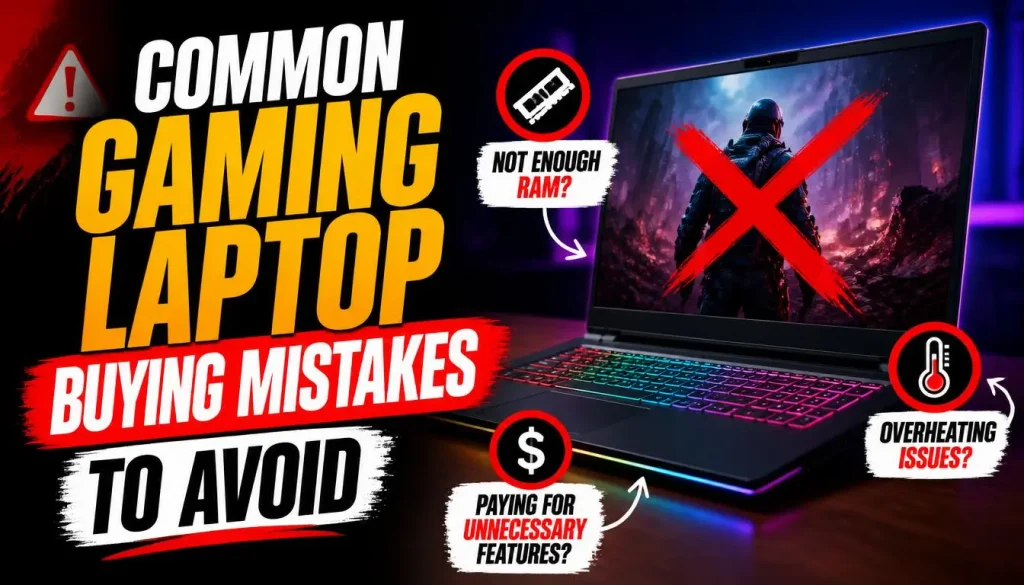
Even experienced buyers can overlook details when comparing specifications. These mistakes are worth avoiding.
Choosing by brand name alone: Two products from the same company can have very different cooling systems, displays, and performance.
Focusing only on the GPU: Graphics performance matters, but CPU capability, cooling, VRAM, and the display also affect the overall experience.
Paying extra for a display you cannot fully use: A high-resolution or very high-refresh-rate panel can be valuable, but only if the hardware and games make good use of it.
Assuming every laptop can be upgraded: Many laptops allow SSD or RAM upgrades, but others have limitations or soldered components. Verify the exact model before buying.
Ignoring cooling tests: A laptop’s initial performance figures may not represent what it can sustain during a long gaming session.
Buying too little storage: A laptop may appear affordable until you need to expand its storage soon after purchase.
Ignoring the return policy: A good deal loses its appeal if the product does not meet your needs and the return conditions are difficult.
The easiest way to avoid these mistakes is to use the same checklist for every laptop you compare.
Buying a Gaming Laptop in the USA, UK, Canada, or Australia
Although the basic buying process is similar worldwide, the details of a purchase can vary by country.
Compare the Final Local Price
Check the price displayed at checkout, including applicable taxes, shipping, and any additional fees. Do not assume an overseas deal will remain cheaper after these costs are added.
Verify the Exact Regional Configuration
The same laptop series may have different specifications, keyboard layouts, power adapters, or available configurations across markets. Check the manufacturer’s model number and the retailer’s full specification list.
Confirm Local Warranty and Support
Before ordering, establish whether the manufacturer or seller provides warranty service where you intend to use the laptop.
A product imported from another country may come with different support conditions. Read the actual warranty terms rather than assuming coverage is identical everywhere.
Compare Retailer Offers Carefully
Discounts can make a laptop look attractive, but the strongest value depends on its hardware, condition, warranty, return policy, and final price.
Compare similar configurations and do not let a short-term promotion rush your decision.
Frequently Asked Questions About How to Choose a Gaming Laptop
How Do I Choose a Gaming Laptop as a Beginner?
Start by setting a budget and identifying the games you plan to play. Check the games’ system requirements, choose a suitable GPU and CPU, and look for sufficient RAM and SSD storage. Then compare the display, cooling performance, reviews, and warranty before buying.
Should I Prioritize the GPU or CPU When Choosing a Gaming Laptop?
For many gaming-focused buyers, the GPU deserves particular attention because it has a major influence on graphics performance. However, CPU requirements vary by game, and a balanced system is better than one with a powerful GPU paired with a poorly matched processor.
Is a Higher Refresh Rate Always Better for Gaming?
No. A higher refresh rate can provide smoother motion when the game delivers enough frames, particularly in fast-paced competitive titles. For other games, display quality, resolution, contrast, and overall graphics performance may matter more than the highest available refresh rate.
How Do I Compare Two Gaming Laptops With Similar Specifications?
Compare their exact configurations, independent benchmarks, cooling performance, display quality, upgrade options, portability, and final price. Do not assume that two laptops with the same GPU name will deliver identical performance.
Can I Upgrade a Gaming Laptop After Buying It?
Sometimes. Many models support SSD upgrades, and some also support RAM upgrades. Other components, especially the GPU and often the CPU, are generally not designed for user replacement. Check the manufacturer’s documentation for the specific model before purchasing.
Is a Gaming Laptop Worth Buying for Everyday Use?
It can be, especially if you want one device for gaming, work, study, and entertainment. However, consider battery life, weight, fan noise, and price. If gaming is only an occasional activity, a lighter general-purpose laptop may be a more practical option.
How Long Should a Gaming Laptop Last?
There is no fixed lifespan. Build quality, cooling, maintenance, battery wear, and changing game requirements all play a part. A well-chosen laptop may remain useful for years, although you may eventually need to lower graphics settings to play newer games smoothly.
Final Thoughts: Choose the Laptop That Fits Your Needs
Choosing a gaming laptop becomes much easier when you focus on what matters to you.
Start with your budget and the games you want to play. Choose a GPU that suits your performance goals, then check the CPU, RAM, SSD, display, cooling, and other features. Compare independent benchmarks for the exact configuration, and do not overlook warranty coverage or the final price.
Most importantly, avoid paying extra for specifications you will rarely use. The right laptop is not necessarily the most expensive or the one with the biggest numbers on its product page. It is the one that delivers the gaming experience you want at a price you can justify.
Once you have selected your laptop, use our guide to the first things to do with a new laptop to prepare it for everyday use.
Take your time, compare your shortlist carefully, and make your decision based on real performance rather than marketing claims. That is the best way to buy a gaming laptop you will be happy with long after the excitement of unboxing has passed.

“Electronics aren’t just gadgets. They’re the invisible threads that connect our work, our play, and our world.”
I’m Julian Reed, and my obsession with tech started at age twelve, when I soldered a defunct gaming console back to life in my bedroom. That tiny green screen taught me that technology isn’t just a black box, it’s a tool you can master.
After fifteen years as a hardware engineer and a decade reviewing consumer tech, I’ve joined this team to cut through the jargon. Whether you’re building a high-end home theater or just need a laptop that won’t lag, I’m here to help you choose the gear that truly powers your life.


