
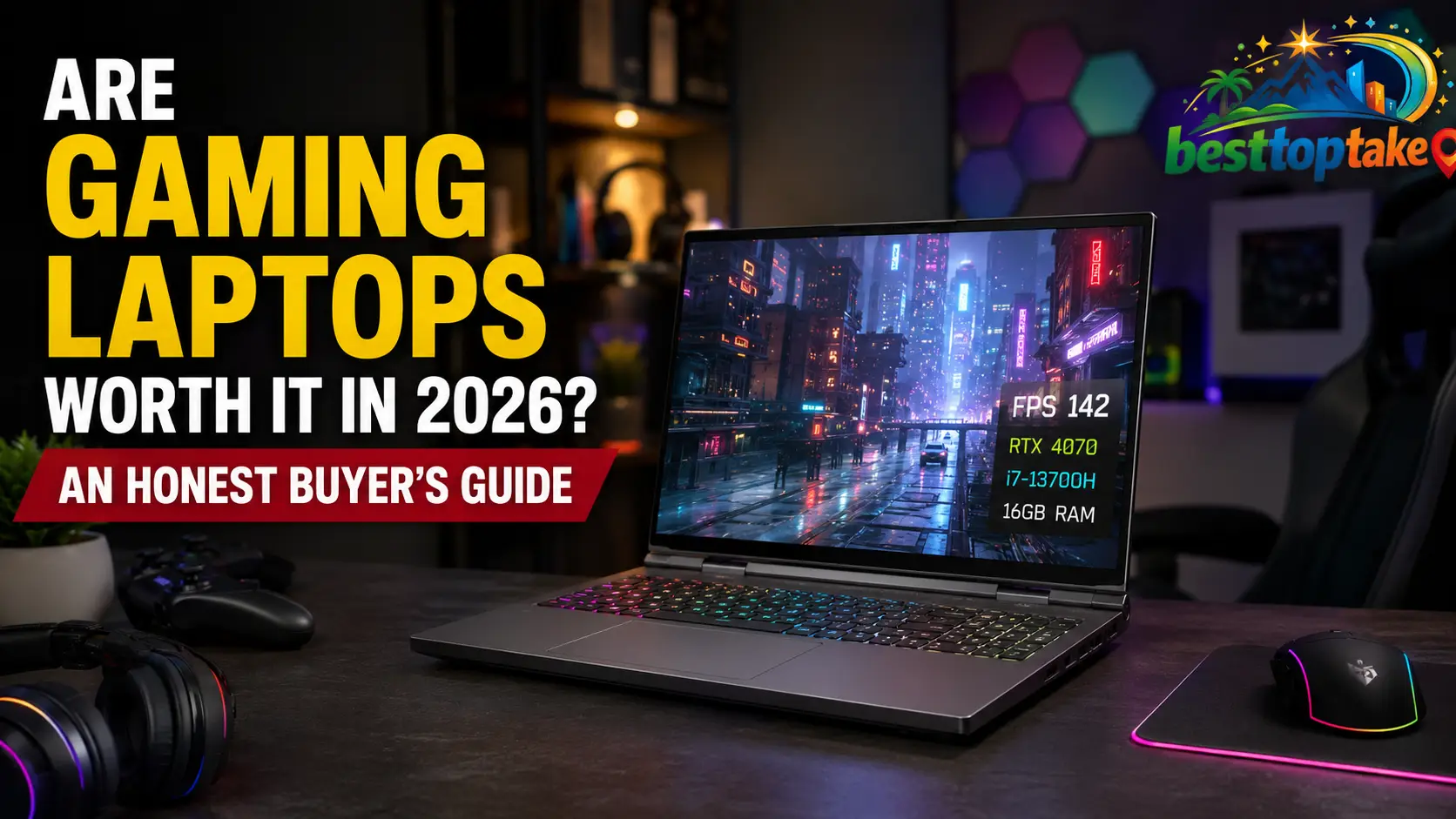
Gaming laptops promise desktop-level gaming in a portable package, but they usually cost more than regular laptops and offer fewer upgrade options than desktop PCs. That raises an important question: are gaming laptops worth it?
For many people, the answer is yes. A gaming laptop is worth buying when you need strong gaming performance, portability, and one computer that can handle gaming, work, study, streaming, or creative applications.
However, a gaming laptop may not be worth it if you always play at the same desk, want the highest performance for your money, need long battery life, or plan to upgrade your graphics card later.
This guide explains the real advantages, disadvantages, costs, performance limitations, and alternatives so you can decide whether a gaming laptop fits your lifestyle and budget.
Are Gaming Laptops Worth It? The Quick Verdict
A gaming laptop is worth it when portability and convenience matter more to you than maximum performance per dollar.
You should seriously consider one if you:
- Travel regularly
- Attend college or university
- Move between home, work, and school
- Have limited desk space
- Need one computer for gaming and productivity
- Use demanding software for editing, design, engineering, or 3D work
- Want to connect to a larger monitor at home while keeping the option to travel
A gaming laptop is probably not worth it if you:
- Only game at one permanent desk
- Want the highest possible frame rate for your budget
- Need quiet operation
- Depend on all-day battery life
- Want to replace your CPU or GPU later
- Already own a capable desktop or game console
- Only play lightweight or cloud-based games
The best choice depends less on whether gaming laptops are objectively good and more on whether their strengths solve your specific problems.
What Makes a Laptop a Gaming Laptop?
A gaming laptop is designed to run graphically demanding games and other performance-heavy applications. It normally includes more powerful hardware and a more advanced cooling system than a standard everyday laptop.
The main features usually include:
- A dedicated graphics processor
- A high-performance CPU
- A high-refresh-rate display
- Multiple cooling fans and heat pipes
- Faster RAM and storage
- Higher power limits
- Gaming performance modes
- A larger power adapter
- Additional display and accessory ports
A regular laptop may use integrated graphics built into the processor. That can be enough for web browsing, office applications, video playback, and light gaming. A gaming laptop normally has a dedicated GPU with its own graphics memory, allowing it to produce higher frame rates and handle more detailed visual settings.

The difference is not just about speed. A gaming laptop’s cooling system, power delivery, display, keyboard, ports, and software are designed around sustained performance.
Do You Really Need a Gaming Laptop?
Not everyone who plays games needs a dedicated gaming laptop.
Modern integrated graphics can run many indie games, older titles, and less demanding competitive games. Cloud gaming also allows some users to stream games without owning a powerful GPU.
Integrated Graphics May Be Enough When You Play:
- Minecraft without demanding graphics modifications
- Roblox
- League of Legends
- The Sims
- Older PC games
- Indie and 2D games
- Turn-based strategy games
- Lightweight esports games at reduced settings
- Cloud-streamed games
A Dedicated Gaming Laptop Is More Appropriate When You Play:
- Modern AAA releases
- Open-world games at high settings
- Competitive games at high frame rates
- Games with ray tracing
- Virtual reality games
- Heavily modified games
- Demanding simulation titles
- Games at 1440p resolution
- Games while streaming or recording
You may also benefit from a gaming laptop even if gaming is not your only priority. Dedicated graphics can accelerate video editing, 3D rendering, animation, architecture, engineering, data science, and some AI applications. NVIDIA currently markets its laptop GPUs for both gaming and demanding student or creator applications.
When Is a Gaming Laptop Worth It?
You Need Portable Gaming Performance
Portability is the main reason to choose a gaming laptop over a desktop.
You can carry it between rooms, take it to college, bring it to work, or travel with it. You do not have to move a desktop tower, monitor, keyboard, and other equipment every time you change locations.
A gaming laptop is especially useful for:
- Students living in dormitories
- People who divide their time between two homes
- Frequent business travelers
- Military personnel
- Remote workers
- Gamers who attend LAN events
- People living in small apartments
However, portable does not always mean lightweight. Some powerful gaming laptops are heavy, and their chargers can add considerable weight to your bag.
You Need One Device for Gaming, Work, and Study
A gaming laptop can replace several separate devices.
When you are not gaming, you can use it for:
- Office work
- Online classes
- Programming
- Photo editing
- Video production
- Streaming
- Graphic design
- Music production
- CAD applications
- 3D modelling
- General web browsing
This makes a gaming laptop easier to justify for someone who needs both entertainment and serious computing performance.
A student studying engineering, architecture, computer science, or media production may get more value from a gaming laptop than someone who only needs email and word processing.
You Have Limited Space
A desktop setup needs space for a tower, monitor, keyboard, mouse, speakers, and cables. A gaming laptop combines the computer, screen, keyboard, trackpad, speakers, webcam, and battery into one device.
You can use it on a small desk and store it away when you finish.
This can be particularly valuable in:
- Shared bedrooms
- Dorm rooms
- Small apartments
- Temporary accommodation
- Multipurpose home offices
You Want a Desktop-Style Setup at Home
A gaming laptop does not have to remain a basic laptop setup.
You can connect:
- An external monitor
- A full-size keyboard
- A gaming mouse
- Speakers or a headset
- An Ethernet cable
- External storage
- A USB or Thunderbolt dock
This allows you to enjoy a desktop-like experience at home and disconnect everything when you need to travel. Intel also recommends checking ports and connectivity because external displays and accessories can turn a laptop into a more complete gaming station.
When Is a Gaming Laptop Not Worth It?
You Want Maximum Performance for Your Money
Gaming desktops generally provide better gaming performance at the same overall hardware level.
Desktop components have more room for cooling, can operate with higher power limits, and are easier to replace. A desktop also lets you choose individual parts instead of accepting the manufacturer’s complete configuration.
A laptop includes the cost of:
- A display
- A battery
- A keyboard
- A trackpad
- Compact cooling
- Custom internal components
- Portable construction
You are therefore paying partly for mobility and convenience, not just gaming performance.
You Want to Upgrade the CPU or GPU Later
Most gaming laptops allow limited upgrades.
Depending on the model, you may be able to replace or expand:
- RAM
- SSD storage
- The Wi-Fi card
- The battery
However, the CPU and GPUare normally attached to the motherboard and cannot be upgraded in the same way as desktop components.
Intel identifies portability and upgradeability as a central trade-off: laptops are easier to carry, while desktops provide more extensive customization and future component upgrades.
This means you should buy a gaming laptop with enough graphics performance for your future needs, not only your current games.
You Need Long Battery Life
Gaming laptops can provide reasonable battery life during light tasks, but gaming is extremely power-intensive.
When playing demanding games, the CPU, GPU, display, fans, memory, and storage may all be working hard. As a result, gaming battery life is much shorter than ordinary web-browsing or video-playback battery life.
A gaming laptop is not the best choice when you need to play demanding games for several hours without access to a power outlet.
You Dislike Heat and Fan Noise
Powerful components generate heat. Because a laptop has less internal space than a desktop, its fans may need to spin quickly to remove that heat.
During gaming, you may notice:
- Loud fan noise
- Warm keyboard areas
- Hot exhaust air
- Reduced performance in quiet mode
- Higher room temperatures during long sessions
A well-designed cooling system can control temperatures, but it cannot make a high-powered laptop completely silent under heavy load.
You Only Play at One Desk
If your computer will remain in the same location, a gaming desktop may offer better long-term value.
You can usually get:
- Better cooling
- Easier repairs
- More ports
- More storage options
- Better upgradeability
- A larger display
- Higher sustained performance
In this situation, paying extra for a built-in battery and portable construction may not make sense.
Gaming Laptop Pros and Cons
| Advantages | Disadvantages |
|---|---|
| Portable gaming performance | Lower performance per dollar than many desktops |
| Complete all-in-one computer | Limited CPU and GPU upgrades |
| Useful for work and study | Short battery life while gaming |
| Requires less desk space | Fans can become loud |
| Can connect to an external monitor | Powerful models can be heavy |
| Suitable for travel and college | Repairs may be expensive |
| Built-in battery provides temporary power | Best performance normally requires a charger |
| Can handle demanding creative software | Compact cooling limits sustained performance |
Gaming Laptop vs Desktop: Which Is More Worth It?
| Factor | Gaming Laptop | Gaming Desktop |
|---|---|---|
| Portability | Excellent | Poor |
| Performance per dollar | Usually lower | Usually higher |
| CPU and GPU upgrades | Very limited | Extensive |
| RAM and storage upgrades | Model-dependent | Usually easy |
| Cooling | Restricted by size | More cooling space |
| Built-in screen | Yes | No |
| Battery | Yes | No |
| Repairability | More difficult | Usually easier |
| Desk space | Less required | More required |
| Long-term flexibility | Limited | Excellent |
| Best for | Mobile users | Stationary gamers |
Choose a Gaming Laptop When:
- You regularly change locations
- You have limited space
- You need one computer for several purposes
- You are comfortable gaming while connected to power
- Convenience is more important than future upgrades
Choose a Gaming Desktop When:
- You game in one permanent location
- You want the most performance for your money
- You plan to upgrade individual components
- You want quieter cooling
- You need several monitors, drives, or accessories
There is no universal winner. The desktop usually wins on performance and flexibility, while the laptop wins on portability and convenience.
Gaming Laptop vs Desktop Plus a Cheap Laptop
Some buyers should consider purchasing a gaming desktop and a basic laptop instead of one expensive gaming laptop.
This two-device strategy can provide:
- Better gaming performance at home
- Longer battery life when travelling
- A lighter everyday laptop
- Easier desktop upgrades
- Separation between gaming and work
However, it also creates disadvantages:
- You must manage two computers
- Files may need to be synchronized
- Two devices require maintenance
- The total cost may be higher
- The basic laptop cannot run demanding software
- Your gaming library remains tied to the desktop unless you use remote streaming
A desktop plus an inexpensive laptop is often better for someone who only needs basic portability. One powerful gaming laptop is more practical for someone who needs demanding performance in several locations.
Gaming Laptop vs Regular Laptop
A regular laptop is normally thinner, lighter, quieter, and more energy-efficient. It is a better option for basic work, study, media consumption, and light gaming.
A gaming laptop provides much more graphics power but usually sacrifices weight, battery life, and quiet operation.
| Feature | Gaming Laptop | Regular Laptop |
|---|---|---|
| Dedicated graphics | Usually included | Often absent |
| Gaming performance | Strong | Limited |
| Battery life | Usually shorter | Usually longer |
| Weight | Heavier | Lighter |
| Cooling | Multiple fans and vents | Simpler cooling |
| Display refresh rate | Often 120Hz or higher | Frequently 60Hz or 90Hz |
| Power adapter | Larger | Smaller |
| Price | Higher | Lower |
| Best use | Gaming and demanding applications | Everyday productivity |
A regular laptop may be the smarter purchase when gaming is only an occasional activity.
Gaming Laptop vs Console
A console is generally easier to use for straightforward gaming. A gaming laptop is more versatile.
A Console May Be Better When You Want:
- Simple setup
- Couch gaming
- A controller-focused experience
- Lower initial cost
- Fewer hardware decisions
- Consistent performance across supported games
A Gaming Laptop May Be Better When You Want:
- PC-exclusive games
- Keyboard and mouse support
- Game modifications
- Adjustable graphics settings
- Competitive PC gaming
- Work and study functionality
- Access to multiple PC game stores
- Creative and professional software
A console is usually better as a dedicated gaming device. A gaming laptop is better as a multipurpose computer that also plays games.
Gaming Laptop vs Handheld Gaming PC
Handheld gaming computers offer another portable option.
A handheld is easier to carry and more comfortable for gaming on a sofa, bed, train, or airplane. A gaming laptop normally provides a larger display, stronger performance, a physical keyboard, and greater productivity.
| Factor | Gaming Laptop | Gaming Handheld |
|---|---|---|
| Portability | Good | Excellent |
| Display size | Larger | Smaller |
| Performance | Usually higher | Usually lower |
| Work and study | Excellent | Limited |
| Keyboard | Built in | Usually virtual or external |
| Battery gaming | Limited | Limited |
| Desktop-style use | Easy | Often requires a dock |
| Best for | Gaming plus productivity | Portable gaming first |
Buy a handheld when gaming portability is your main priority. Buy a gaming laptop when you also need a full computer.
Could Cloud Gaming Replace a Gaming Laptop?
Cloud gaming runs a game on a remote server and streams the video to your device. This can allow a regular laptop to play demanding titles without a powerful local GPU.
Xbox, for example, supports cloud gaming across Windows PCs and other compatible devices, although subscriptions, regional availability, supported hardware, and game availability may apply.
Cloud gaming may be suitable when:
- You have fast and stable internet
- You only game occasionally
- You do not want to install large games
- You are comfortable paying a subscription
- Slight additional input delay is acceptable
- The games you want are available through the service
It may not replace a gaming laptop when:
- Your internet connection is unreliable
- You play competitive games
- You want modifications
- You need offline access
- You want full control over visual settings
- You use GPU-intensive professional applications
Cloud gaming can reduce hardware requirements, but it introduces dependence on internet quality and service availability.
What Gaming Performance Can You Expect?
Performance depends on the laptop’s GPU, CPU, power limits, cooling, memory configuration, display resolution, and game settings.
Esports Games
Competitive games are usually less graphically demanding than major AAA releases. A suitable entry-level or mid-range gaming laptop may deliver high frame rates at 1080p, especially when using competitive graphics settings.
A high-refresh-rate screen is particularly valuable for competitive games. Intel notes that a higher refresh rate can make motion appear smoother, but the hardware must produce enough frames to take advantage of the display.
Modern AAA Games
Demanding games require more GPU power and graphics memory. Mid-range hardware is normally the best balance for most players, while entry-level GPUs may require lower textures, reduced effects, or upscaling.
1080p Gaming
Full HD remains a practical resolution for gaming laptops because it requires less graphics power than 1440p or 4K.
It can be a strong choice for:
- Smaller screens
- Competitive gaming
- Budget laptops
- Entry-level GPUs
- Higher frame rates
1440p Gaming
A 1440p display provides a sharper image but requires more graphics performance. It is usually better matched with a capable mid-range or high-end GPU.
4K Gaming
A 4K laptop display can look sharp, but running modern games natively at 4K can place a heavy load on the GPU. On a relatively small laptop screen, the visual improvement may not always justify the additional cost and lower frame rate.
For most buyers, a balanced 1080p or 1440p configuration offers better value.
Why Two Gaming Laptops With the Same GPU Can Perform Differently
Do not choose a gaming laptop based only on the GPU name.
Two laptops using the same graphics processor can produce different results because of:
- GPU power limits
- Cooling capacity
- Chassis thickness
- CPU performance
- Memory configuration
- Manufacturer performance profiles
- Shared CPU and GPU power
- MUX or graphics-switching design
NVIDIA’s current comparison data shows that GPUs within the same laptop family can operate across broad subsystem power ranges. For example, listed RTX 50-series laptop GPU power ranges vary considerably by tier and laptop implementation.
A well-cooled laptop with a higher GPU power allowance may outperform a thinner laptop carrying the same GPU name.
Check These Details Before Buying
- Exact GPU model
- GPU power or TGP
- Amount of VRAM
- RAM configuration
- Whether RAM is replaceable
- Cooling performance
- Performance mode behaviour
- MUX switch or graphics-switching support
- Independent gaming benchmarks
- Noise and temperature measurements
The model name tells you what chip is installed. It does not tell you how effectively the laptop uses it.
Can You Game Without the Charger?
Technically, yes. Practically, demanding games are normally best played while the laptop is connected to its original charger.
When running on battery, the system may reduce CPU and GPU power to:
- Extend battery life
- Control temperature
- Prevent rapid discharge
- Protect the power system
Windows also allows different power modes for battery and plugged-in operation, including efficiency, balanced, and performance-focused settings.
Gaming on battery can result in:
- Lower frame rates
- Reduced GPU power
- Lower screen brightness
- Short play sessions
- Faster battery cycling
- Inconsistent performance
Use the charger that was designed for the laptop. An underpowered USB-C charger or third-party adapter may not provide enough power during gaming. Microsoft notes that using a charger below the device’s requirements can cause slow charging or even battery discharge while connected.
Is It Safe to Keep a Gaming Laptop Plugged In?
Modern laptops include charging controls, so remaining connected does not normally mean the battery is continuously charging without limits.
However, battery ageing can be accelerated by high charge levels and heat. Some gaming-laptop manufacturers provide battery-care settings that limit charging to around 60% or 80% when the computer stays connected for long periods.
Microsoft recommends using smart charging where supported and avoiding keeping a lithium-ion battery at maximum charge all the time.
For better long-term battery health:
- Enable the manufacturer’s battery-care mode
- Keep ventilation openings clear
- Avoid extreme heat
- Use the original charger
- Do not regularly drain the battery to zero
- Allow the laptop to cool after demanding sessions
How Portable Is a Gaming Laptop in Real Life?
A gaming laptop may fit into a backpack, but you should consider the complete travel setup.
Your total carry weight can include:
- The laptop
- A large power adapter
- A gaming mouse
- A headset
- An external drive
- A laptop stand
- Protective packaging
14-Inch Gaming Laptops
These are easier to carry and better for frequent travel. Their smaller chassis may provide less cooling capacity, fewer ports, and a more compact keyboard.
15- and 16-Inch Gaming Laptops
This is often the best balance between screen size, cooling, and portability.
17- and 18-Inch Gaming Laptops
These provide a larger viewing area and may support stronger cooling, but they are less convenient to carry. They are better described as movable desktop replacements than everyday travel laptops.
Always check both the laptop weight and charger weight before buying.
Are Budget Gaming Laptops Worth It?
Budget gaming laptops can be worth buying when they meet your actual gaming needs and do not make unacceptable compromises.
They are commonly suitable for:
- Esports games
- Indie games
- Older AAA titles
- 1080p gaming at adjusted settings
- Students who also need productivity performance
- First-time PC gamers
Possible compromises include:
- Lower GPU power
- Limited VRAM
- Dim or inaccurate displays
- Plastic construction
- Small batteries
- Loud cooling fans
- Limited storage
- Single-channel memory
- Poor webcams or speakers
- Fewer ports
A budget model is not automatically good value simply because it has a dedicated GPU. You must examine the entire configuration.
For example, a laptop with a stronger GPU but a poor screen, only 8GB of RAM, and insufficient storage may require immediate upgrades. A slightly more expensive model with balanced components could be cheaper in the long run.
How Much Should You Spend on a Gaming Laptop?
Prices vary between the USA, UK, Canada, and Australia, so focus on performance tier rather than one universal price.
Entry-Level
Choose this category for:
- Lightweight games
- Esports
- Older AAA games
- 1080p gaming at medium settings
- Occasional gaming
Prioritize a good display, upgradeable RAM, adequate storage, and a modern GPU over decorative features.
Mid-Range
This is the best category for many buyers.
A balanced mid-range laptop should offer:
- Strong 1080p performance
- Practical 1440p capability
- Enough VRAM for your intended games
- At least 16GB of memory
- Reasonable cooling
- A high-refresh display
- Upgradeable storage where possible
High-End
A premium gaming laptop may make sense when you need:
- High-refresh 1440p gaming
- Demanding ray tracing
- Professional GPU acceleration
- Large amounts of memory and storage
- A desktop-replacement design
- A premium display
- Strong build quality
High-end laptops often deliver less value per additional dollar. Their price can rise much faster than their real-world performance.
How Long Do Gaming Laptops Last?
A well-maintained gaming laptop can remain physically usable for several years, but its gaming relevance depends on the hardware you choose and the games you expect to play.
There are three different types of lifespan to consider.
Physical Lifespan
The laptop may continue operating as long as its cooling system, motherboard, display, keyboard, hinges, fans, and storage remain functional.
Gaming Lifespan
A laptop may still work perfectly but struggle with new games at high settings. Lowering resolution, reducing graphics settings, and using supported upscaling features can extend its useful gaming life.
Battery Lifespan
Lithium-ion batteries gradually lose capacity through age, heat, and charging cycles. The laptop can often continue operating with a worn battery while plugged in, but portability becomes less useful.
How to Extend Its Lifespan
- Clean dust from vents and fans
- Use the laptop on a hard, flat surface
- Avoid blocking the intake vents
- Control unnecessary background applications
- Use sensible performance modes
- Keep drivers updated
- Leave free space on the SSD
- Upgrade RAM and storage when supported
- Protect the hinges and charging port
- Use battery-care features
- Repair fan problems early
Can Gaming Laptops Be Upgraded?
Upgradeability varies considerably between models.
Components That May Be Upgradeable
- RAM
- M.2 SSD storage
- Wi-Fi card
- Battery
Components That Are Usually Not Upgradeable
- CPU
- GPU
- Motherboard
- Cooling design
- Built-in display
Some thin gaming laptops use soldered memory, while others provide one or two replaceable RAM slots. Storage expansion also varies. One laptop may have two accessible SSD slots, while another has only one.
Before buying, check:
- The maximum supported memory
- The number of RAM slots
- Whether any RAM is soldered
- The number of SSD slots
- Whether opening the laptop affects warranty coverage
- The availability of service manuals
- Replacement-part availability
Do not assume upgradeability based only on the brand or product family.
How Repairable Are Gaming Laptops?
Gaming laptops are generally more difficult to repair than desktops because many components are tightly integrated.
Common replaceable parts may include:
- Fans
- Batteries
- SSDs
- RAM modules
- Wi-Fi cards
- Keyboards
- Displays
- Charging ports on selected designs
A failed motherboard or soldered GPU can be expensive because the repair may require replacing a large portion of the computer.
Before purchasing, investigate:
- Warranty length
- Local authorized service
- Parts availability
- Accidental-damage coverage
- Battery replacement cost
- Fan replacement options
- Return policy
- Whether an extended warranty provides useful coverage
Repair support matters especially when purchasing an imported model.
Do Gaming Laptops Hold Their Value?
Gaming laptops depreciate because newer processors and graphics chips regularly enter the market. Battery wear, cosmetic damage, fan noise, and limited upgrades can also reduce resale value.
Factors that help preserve value include:
- Strong original build quality
- A desirable GPU
- Adequate VRAM
- Upgradeable memory and storage
- Healthy battery capacity
- Remaining warranty coverage
- A clean display and keyboard
- The original charger and packaging
- Good thermal condition
A gaming laptop should be viewed as a useful tool and entertainment device, not as a financial investment.
Buy it for the value you expect to receive from using it.
New vs Used vs Refurbished Gaming Laptops
Buying New
Advantages include:
- Full warranty
- Fresh battery
- Current hardware
- Return protection
- Lower risk of hidden damage
The main disadvantage is higher cost.
Buying Used
A used gaming laptop can offer strong performance for less money, but it carries greater risk.
Check:
- Battery health
- Screen condition
- Keyboard and trackpad
- Hinges
- Charging port
- Fan noise
- Temperatures
- SSD health
- RAM capacity
- Original charger
- Warranty status
- Signs of previous repair
Run an actual game or benchmark before completing a private sale whenever possible.
Buying Refurbished
Manufacturer-refurbished or reputable retailer-refurbished laptops may provide a useful middle ground. Look for:
- A clear warranty
- A return period
- Battery-condition information
- A complete charger
- Defined cosmetic grading
- Professional testing
Avoid listings that use “refurbished” without explaining who performed the work.
Hidden Costs of Owning a Gaming Laptop
The purchase price may not be the final cost.
Possible additional expenses include:
- A gaming mouse
- A headset
- A laptop stand
- A cooling pad
- An external monitor
- A keyboard
- Additional RAM
- A larger SSD
- A replacement battery
- An extended warranty
- A protective bag
- A dock or adapter
- Repairs
- Game subscriptions
Not every accessory is necessary. Begin with the laptop and a good mouse, then add equipment based on genuine needs.
How to Choose a Gaming Laptop That Is Actually Worth It
Start With the Games You Play
Review the system requirements for your main games. Do not buy expensive hardware for games that run well on modest components.
Prioritize the GPU
The GPU normally has the greatest effect on gaming performance. Check the exact model, power limit, VRAM, and real-world benchmarks.
Choose a Balanced CPU
A stronger CPU is useful for high-frame-rate gaming, simulation games, streaming, video editing, and other demanding applications. However, spending heavily on the CPU while accepting a weak GPU may produce poor gaming value.
Get Enough RAM
For a new gaming laptop, 16GB is a sensible starting point for many users. More memory may be useful for editing, streaming, virtual machines, large creative projects, and heavily modified games.
Check whether the memory is:
- Dual-channel
- Replaceable
- Partly soldered
- Fully soldered
Do Not Underestimate Storage
Modern games can occupy significant space. A small SSD can fill quickly after installing Windows, applications, and several large games.
Look for:
- Adequate starting capacity
- A second M.2 slot
- Easy SSD access
- Support for standard replacement drives
Match the Display to the Hardware
Important display factors include:
- Resolution
- Refresh rate
- Brightness
- Response time
- Colour quality
- Variable refresh support
- Screen size
A high-resolution screen is not always better if the GPU cannot produce acceptable frame rates at that resolution.
Examine Cooling Reviews
Specifications do not reveal:
- Fan noise
- Surface temperature
- Sustained performance
- Thermal throttling
- Quiet-mode performance
Use independent reviews that test the exact model and configuration you plan to buy.
Check Ports
Consider whether you need:
- HDMI
- DisplayPort through USB-C
- Ethernet
- Multiple USB-A ports
- USB-C charging
- Thunderbolt
- An SD card reader
- A headset jack
Port location also matters when creating a permanent desk setup.
Verify Regional Warranty Support
Buyers in the USA, UK, Canada, and Australia should check:
- Whether the warranty is valid locally
- Who pays return shipping
- Whether on-site service is available
- How long repairs normally take
- Whether replacement parts are stocked locally
- Whether an imported model receives support
- The local keyboard layout and plug type
A cheaper imported laptop can become expensive if warranty service is unavailable.
Common Gaming Laptop Buying Mistakes
Avoid these common errors:
- Choosing by GPU name alone
- Ignoring GPU power limits
- Buying only 8GB of non-upgradeable memory
- Choosing insufficient SSD storage
- Ignoring fan-noise reviews
- Assuming the CPU and GPU can be upgraded
- Paying extra for RGB instead of better hardware
- Buying a 4K screen with an underpowered GPU
- Ignoring charger size and weight
- Expecting full gaming performance on battery
- Forgetting to check display brightness and colour quality
- Buying an imported model without local warranty support
- Comparing laptop and desktop GPUs only by their names
- Ignoring replacement battery availability
- Purchasing before checking the return policy
Gaming Laptop Worth-It Checklist
Answer these questions before buying:
- Do I regularly need gaming performance in different locations?
- Will I also use the laptop for study, work, or creative applications?
- Do I have enough desk space for a desktop?
- Am I comfortable gaming while connected to a charger?
- Can I tolerate fan noise during demanding games?
- Does the laptop run my preferred games at acceptable settings?
- Does it have enough VRAM, RAM, and storage?
- Can I upgrade the RAM or SSD?
- Is the display suitable for the GPU?
- Are independent reviews positive about cooling?
- Is local warranty support available?
- Can I afford possible accessories and future repairs?
If you answered yes to most of these questions, a gaming laptop is likely worth buying.
Final Verdict: Are Gaming Laptops Really Worth the Money?
Gaming laptops are worth it for people who need powerful performance in a computer they can move between locations.
They are especially valuable for students, travelers, remote workers, content creators, engineers, and gamers living in limited spaces. A good model can handle gaming, productivity, creative work, and entertainment without requiring separate computers.
They are less suitable for people who always game at one desk, want maximum performance per dollar, require long battery life, or expect extensive future upgrades.
The decision comes down to one central trade-off:
Choose a gaming laptop for portability, space savings, and all-in-one convenience. Choose a gaming desktop for higher performance, easier upgrades, better cooling, and stronger long-term value.
A gaming laptop is not automatically a good or bad investment. It becomes worth it when you select a balanced model whose performance, portability, repair support, and price match how you will actually use it.
Frequently Asked Questions
Are gaming laptops worth it for everyday use?
Yes, but they may be more powerful, expensive, and heavy than necessary for basic browsing, email, video streaming, and office work. They make more sense when everyday use is combined with gaming or demanding professional applications.
Are gaming laptops worth it for college students?
A gaming laptop can be worth it for students who game or use demanding software for engineering, architecture, programming, video editing, design, or 3D work. Students who only need web browsing and document editing may prefer a lighter laptop with longer battery life.
Are cheap gaming laptops worth buying?
They can be, provided the GPU, display, cooling, RAM, and storage are balanced. Avoid choosing a laptop only because it has a low price and a dedicated GPU.
Can a gaming laptop replace a desktop?
Yes, particularly when connected to an external monitor, keyboard, and mouse. However, it will still have more limited upgrades and cooling than a typical gaming desktop.
Can you use a gaming laptop for work?
Yes. Gaming laptops are powerful enough for general office work and many demanding professional applications. Their main disadvantages for work are weight, fan noise, appearance, and battery life.
Do gaming laptops last as long as desktops?
They can remain usable for many years, but desktops are generally easier to repair and upgrade. A desktop can often receive a new GPU or CPU, while a laptop normally keeps its original core components.
Why are gaming laptops expensive?
Their price includes a powerful CPU and GPU, compact cooling, a high-refresh display, a battery, a keyboard, a trackpad, speakers, and portable construction.
Do gaming laptops overheat?
They can run hot under heavy workloads, but high temperatures do not automatically mean the laptop is overheating. Poor cooling, blocked vents, dust, failed fans, or thermal throttling may indicate a genuine problem.
Is it bad to keep a gaming laptop plugged in?
Not necessarily. Gaming laptops are designed to operate while connected to power. Use battery-care or charge-limit features when available, and control heat to reduce long-term battery wear.
Can you play games without plugging in a gaming laptop?
Yes, but performance and battery life are normally reduced. Demanding games should generally be played while using the original charger.
Is a gaming laptop better than a console?
A gaming laptop is more versatile and supports work, modifications, multiple game stores, and adjustable settings. A console is usually simpler and may cost less as a dedicated gaming device.
Should I buy a gaming laptop or build a PC?
Buy a gaming laptop when you need portability. Build or buy a desktop when performance, upgradeability, cooling, and long-term value are more important.
Is buying a used gaming laptop worth it?
It can be, but you should carefully inspect battery health, temperatures, fans, display condition, storage, charger, warranty status, and signs of previous damage.
How much RAM does a gaming laptop need?
Sixteen gigabytes is a practical starting point for many modern gaming systems. More may be beneficial for demanding creative software, streaming, virtual machines, heavily modified games, and professional workloads.
Are gaming laptops good for travel?
They can be, but check the laptop and charger weight. A compact 14-inch model is easier to carry, while larger 17- and 18-inch laptops are better suited to occasional transportation.
Is an expensive gaming laptop worth it?
It may be worth it for demanding gaming, professional GPU workloads, premium displays, or desktop-replacement use. For most buyers, a balanced mid-range laptop offers better value than the most expensive configuration.

“Electronics aren’t just gadgets. They’re the invisible threads that connect our work, our play, and our world.”
I’m Julian Reed, and my obsession with tech started at age twelve, when I soldered a defunct gaming console back to life in my bedroom. That tiny green screen taught me that technology isn’t just a black box, it’s a tool you can master.
After fifteen years as a hardware engineer and a decade reviewing consumer tech, I’ve joined this team to cut through the jargon. Whether you’re building a high-end home theater or just need a laptop that won’t lag, I’m here to help you choose the gear that truly powers your life.


