Buying a gaming laptop can get confusing fast. One model has a powerful-sounding processor, another comes with a newer graphics card, and a third promises a 165Hz display. Yet the most expensive option is not always the best choice for the games you play.
So, what specs do you need for a gaming laptop?
For most gamers, a good starting point is a modern midrange processor, a dedicated graphics card suited to your games, 16GB of RAM, an SSD with at least 512GB of storage, and a display that matches the laptop’s graphics performance. Effective cooling is equally important because a laptop must maintain its performance during long gaming sessions.
The right combination depends on your games, target resolution, preferred frame rate, and budget. In this guide, I’ll explain what each specification does, what you should look for, and how to avoid spending money on hardware you don’t need.
Quick Answer: What Specs Do You Need for a Gaming Laptop?
Here is a practical starting point for choosing a gaming laptop.
| Component | Recommended Starting Point | What to Check |
|---|---|---|
| Graphics card (GPU) | Dedicated GPU for demanding modern games | Exact model, VRAM, power limit, and gaming benchmarks |
| Processor (CPU) | Recent midrange gaming processor | Exact model, generation, and performance |
| RAM | 16GB | Upgrade options and memory configuration |
| Storage | 512GB SSD | Consider 1TB if you install several large games |
| Display | 1080p, preferably 144Hz for competitive gaming | Resolution, refresh rate, response time, and brightness |
| Cooling | A well-designed cooling system | Sustained performance and fan noise |
| Operating system | Compatible 64-bit Windows installation for your intended games | Game-specific requirements and compatibility |
| Connectivity | Suitable USB, USB-C, HDMI, and wireless connections | Support for your accessories and external monitor |
For demanding games, higher resolutions, streaming, or heavier multitasking, you may benefit from a more powerful GPU, 32GB of RAM, a larger SSD, and a better display.
One important point: these are starting recommendations, not universal minimum requirements. Always check the official system requirements for the games you intend to play.
1. Graphics Card (GPU): The Most Important Gaming Specification
If you can spend more on one gaming component, start by comparing graphics cards.
The GPU renders game graphics, processes lighting and visual effects, and has a major influence on frame rates. It is particularly important when playing graphically demanding games or increasing the resolution and graphics settings.
A laptop with a strong processor but a weak GPU may struggle to deliver the gaming performance you expect.
What Type of GPU Should You Choose?
For demanding modern games, a dedicated graphics card is generally the better choice. Integrated graphics can handle many lightweight games, older titles, and some competitive games at suitable settings, but they are not the right fit for every gaming workload.
When comparing laptops, look at the actual GPU model rather than relying on the brand name or the word “gaming” in the product title.
For example, NVIDIA offers different generations of GeForce RTX laptop GPUs. You can use its official GeForce laptop GPU comparison page to check available models and technical specifications.
However, a newer GPU name alone does not tell you exactly how well a laptop will perform.
Why GPU Power Limits Matter
Laptop graphics cards operate within power and thermal limits that can vary between laptop models.
Two laptops advertised with the same GPU family may deliver different results because of differences in GPU power, cooling, firmware, and overall design.
Before buying, check:
- The exact GPU model.
- The available graphics memory (VRAM).
- The GPU power limit, often described using TGP or total graphics power.
- Independent gaming benchmarks for the exact laptop.
- Performance at the resolution and graphics settings you intend to use.
How Much VRAM Do You Need?
VRAM is the graphics memory used to store textures, frame data, and other assets needed by the GPU.
The amount you need depends on the game, texture quality, resolution, and graphics features you use. Higher resolutions and demanding textures can increase memory requirements.
Do not automatically reject a laptop because its GPU has a particular VRAM capacity, but do not ignore VRAM either. Check the recommended requirements for your most demanding games and compare them with the GPU you are considering.
My advice: Prioritize real-world gaming performance over a graphics card’s name alone. A well-cooled laptop with a suitable GPU can be a better purchase than a more expensive model with an impressive specification sheet but weaker sustained performance.
2. Processor (CPU): How Much Power Do You Need?
The processor handles game logic, physics, background tasks, and instructions from different applications.
A strong CPU can help deliver stable frame rates, especially in CPU-heavy games, simulation titles, and competitive games where high frame rates matter. It also becomes more important if you plan to stream, record gameplay, or use demanding applications alongside your games.
Intel Core or AMD Ryzen: Which Is Better?
Both Intel and AMD offer processors suitable for gaming laptops. Neither brand automatically wins in every price range.
Instead of choosing a laptop based only on whether it has Intel or AMD inside, compare the exact processor model and the laptop’s real-world performance.
Pay attention to:
- Processor generation or series.
- CPU performance in games similar to the ones you play.
- Power consumption and cooling requirements.
- Performance during multitasking or streaming.
- Battery efficiency if you regularly use the laptop away from a power outlet.
Intel’s gaming laptop selection guide explains how processor generation, clock speed, and core count affect different workloads.
Is a Core i5 or Ryzen 5 Enough for Gaming?
A suitable midrange processor can be enough for many gaming laptops. You do not necessarily need a high-end Core i9 or Ryzen 9 just to play games.
For instance, spending extra money on a premium CPU may not be worthwhile if the laptop has a weaker GPU that limits graphics performance.
On the other hand, CPU-intensive games, high-refresh-rate gaming, and simultaneous streaming can benefit from a stronger processor.
The best approach is to balance the CPU with the GPU rather than buying the most expensive processor available.
3. How Much RAM Do You Need for a Gaming Laptop?
RAM gives games and applications temporary space to store information while they run. Having too little can lead to stuttering, slowdowns, or problems when several applications compete for memory.
For a new gaming laptop, 16GB is a sensible starting point for many users. Consider 32GB if you play demanding games, stream, edit videos, run virtual machines, or keep several resource-heavy applications open.
Is 8GB RAM Enough?
Eight gigabytes may be sufficient for older games and lightweight titles that have modest requirements. However, it can become limiting when you run a modern game alongside Windows, a browser, voice chat, and other applications.
Before buying an 8GB gaming laptop, check whether the memory can be upgraded and what that upgrade would cost.
Should You Choose 16GB or 32GB?
Use this general guide:
| RAM Capacity | Best Suited For |
|---|---|
| 8GB | Older or lightweight games, subject to their requirements |
| 16GB | Mainstream gaming and everyday multitasking |
| 32GB | Heavier gaming workloads, streaming, editing, and demanding multitasking |
| 64GB or more | Specialized professional workloads beyond typical gaming needs |
More RAM does not automatically increase FPS. If your current games already have enough available memory, upgrading RAM may produce little improvement in average frame rates.
Also check whether the laptop uses replaceable modules or soldered memory. Some models provide easy upgrade options, while others do not.
For detailed installation advice and compatibility checks, see our guide on how to upgrade RAM in a gaming laptop.
4. How Much SSD Storage Does a Gaming Laptop Need?
A solid-state drive (SSD) helps your laptop start quickly, load games faster, and respond smoothly during everyday use.
For a new gaming laptop, 512GB is a reasonable starting point. However, 1TB is often more comfortable if you keep several large games installed at the same time.
Consider what else will occupy the drive: Windows, applications, updates, screenshots, recorded gameplay, and personal files all need space.
Is a 512GB SSD Enough for Gaming?
It can be enough if you play a few games at a time and uninstall titles you no longer use.
If you regularly install large modern games, however, 512GB may fill up sooner than expected. A 1TB SSD gives you more room to manage a growing game library.
An NVMe SSD is also worth considering. Windows 11’s hardware and feature requirements explain that certain DirectStorage features require an NVMe SSD and compatible graphics hardware.
Keep in mind that the benefit depends on the game and its storage implementation. An SSD does not automatically increase your FPS in every title.
Can You Upgrade Storage Later?
Some laptops have an additional M.2 slot, while others offer only one storage slot. The layout varies by model.
Before buying, check the manufacturer’s specifications or service manual to confirm:
- Whether the SSD can be replaced.
- Whether a second SSD can be installed.
- The supported drive type and physical size.
- Whether upgrades affect your warranty or service arrangements.
A laptop with convenient storage expansion can be more practical over several years than one with limited capacity and no easy upgrade path.
5. What Display Specifications Matter for Gaming?
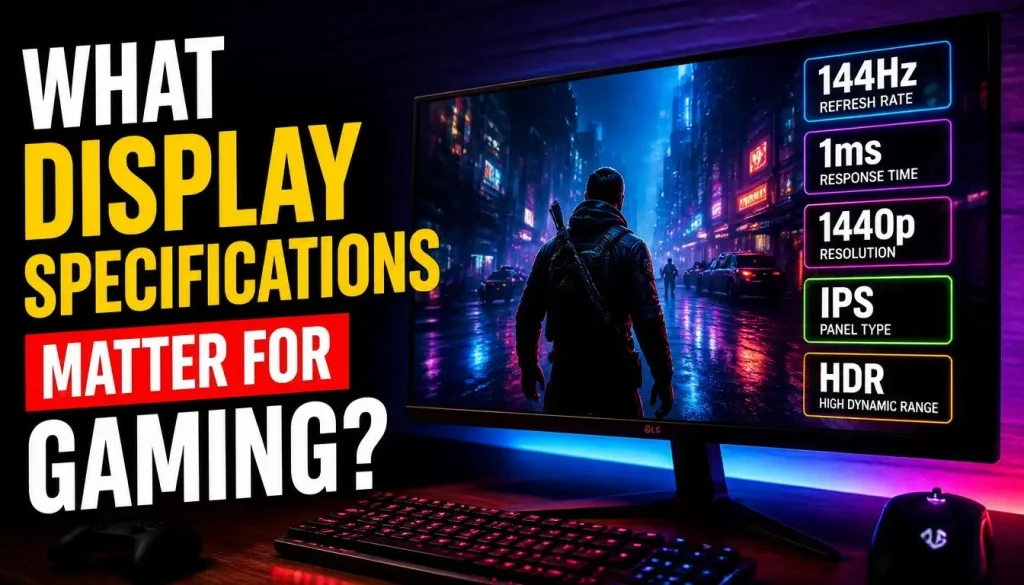
The display affects how smooth, sharp, and responsive your games look.
A powerful GPU paired with a poor display may not give you the experience you expected. At the same time, paying for an extremely high-resolution display may be unnecessary if the GPU cannot deliver your target performance.
1080p vs. 1440p vs. 4K
1080p (Full HD): A practical choice for many gaming laptops. It places less demand on the GPU than higher resolutions and works well for competitive games.
1440p: Offers a sharper image and can be a good option for a stronger gaming laptop, especially if you play visually detailed games.
4K: Provides a very detailed image but requires substantially more graphics performance at demanding settings. Consider whether the improvement is worth the extra cost and reduced frame rates in some games.
Choose the resolution based on your GPU, the games you play, and your preferred balance between image quality and performance.
Is a 144Hz Display Enough?
For many gamers, 144Hz is a sensible starting point. A higher refresh rate can make motion look smoother, particularly in fast-paced competitive games.
But refresh rate and frame rate are not the same thing.
A 144Hz screen can refresh up to 144 times per second, but your game must produce enough frames to make full use of that capability. A high-refresh display will not turn a weak GPU into a powerful one.
For competitive gaming, 165Hz or 240Hz may be worth considering if your hardware can deliver the frame rates you want. For slower single-player games, image quality and resolution may matter more than an exceptionally high refresh rate.
IPS vs. OLED: Which Display Should You Choose?
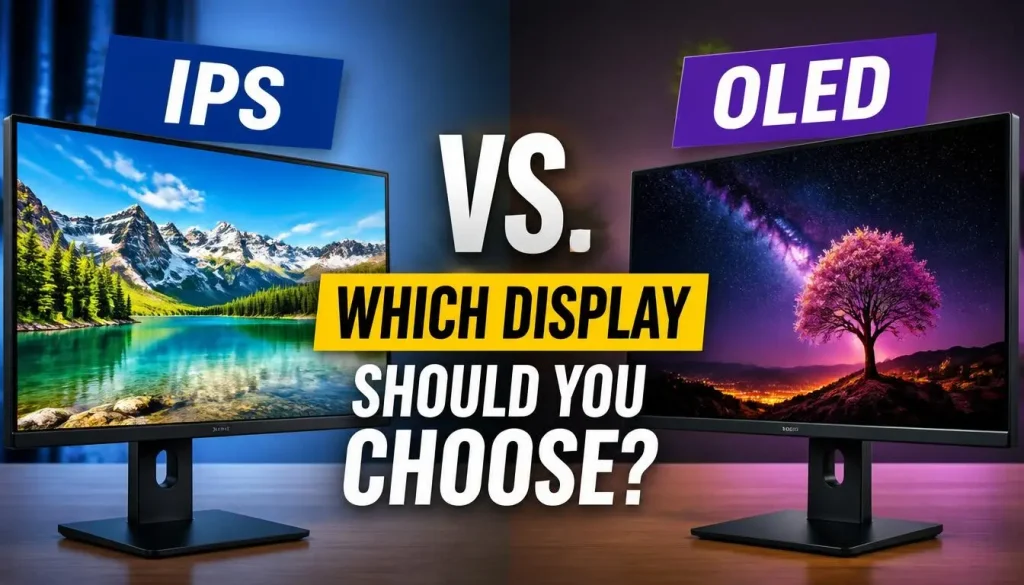
IPS displays are common and can offer a good balance of price, viewing angles, and image quality.
OLED displays can provide deep blacks and strong contrast, making games and movies look impressive. However, OLED models often cost more, and buyers should consider brightness, refresh rate, warranty coverage, and the manufacturer’s guidance on long-term use.
Also look at response time, brightness, color coverage, and whether the display supports adaptive refresh-rate technology if those features matter to you.
6. Why Gaming Laptop Cooling Matters
A gaming laptop has to fit a powerful CPU and GPU into a relatively compact body. Both components generate heat when working hard, which makes cooling a major part of the buying decision.
A laptop that performs well for five minutes may behave differently after an hour of gaming.
What Is Thermal Throttling?
Thermal throttling happens when a component reduces its performance to stay within its operating limits. Power limits can also affect performance, so lower clock speeds do not automatically mean that a laptop is overheating.
To judge a laptop’s cooling system, look for independent reviews that measure temperatures, fan noise, and sustained performance under gaming loads.
Check whether reviewers tested the exact laptop configuration you want. Different chassis designs and power profiles can produce different results even when the processor and GPU names look similar.
Before buying, look for:
- Sustained performance in longer gaming sessions.
- Reasonable fan noise for the performance level.
- Effective air intake and exhaust design.
- Temperature measurements under a realistic gaming load.
- Reports of excessive performance drops over time.
If you already own a gaming laptop and are concerned about temperatures, our guides explain normal gaming laptop CPU and GPU temperatures and how to avoid laptop overheating while gaming.
Do not judge cooling by appearance alone. Large vents and multiple fans can be useful, but measured performance is more informative than marketing claims.
7. Battery, Ports, Connectivity, and Operating System
These specifications may not increase FPS directly, but they affect how useful your laptop will be outside gaming.
Battery Life
Gaming laptops usually consume much more power during demanding games than during light tasks such as browsing or writing. Performance can also be reduced when gaming on battery, depending on the laptop and power settings.
If you travel frequently or use your laptop at university or work, check independent battery tests for everyday tasks. Do not assume that a laptop offering excellent battery life during web browsing will deliver the same results during gaming.
Ports and External Monitors
Check whether the laptop has the connections you actually need.
For example, you may want USB-A for a mouse, USB-C for accessories, HDMI for an external monitor, and a suitable audio connection for a headset.
If you plan to connect an external monitor, confirm the capabilities of the relevant port. Do not assume every USB-C port supports the same video output, charging, or transfer features.
Windows and Game Compatibility
Make sure the operating system supports your games and essential applications. Some titles have specific operating-system, graphics API, driver, or anti-cheat requirements.
Check the official requirements for your intended games before purchasing the laptop. Microsoft also explains the minimum requirements for Windows 11, but meeting those minimums does not mean a computer is powerful enough for demanding games.
8. What Specs Do You Need for Different Types of Gaming?
Your ideal laptop depends on what you want to play. Instead of buying the most powerful machine you can afford, match the components to your actual workload.
| Gaming Goal | Specifications to Prioritize |
|---|---|
| Competitive games | Suitable GPU, strong CPU performance, responsive display, stable frame rates |
| Casual and older games | Hardware that meets the specific game’s requirements, with enough memory and storage |
| Demanding AAA games | Stronger dedicated GPU, adequate VRAM, effective cooling, and sufficient storage |
| 1440p gaming | GPU performance that matches the higher resolution and graphics settings |
| Gaming and streaming | Balanced CPU and GPU, 32GB RAM when justified, and good sustained cooling |
| Gaming and video editing | Suitable GPU, capable CPU, adequate RAM, and sufficient SSD capacity |
The game itself matters just as much as the category. A competitive game running at lower settings can have very different requirements from a visually demanding single-player title.
For example, Epic Games lists separate minimum, recommended, and higher-quality specifications for Fortnite on PC. Check the developer’s current requirements for the games you care about rather than assuming that one general specification list covers every title.
If you want to compare complete laptop models rather than individual components, our 2026 gaming laptop comparison guide can help with the next stage of your research.
9. Can You Upgrade Gaming Laptop Specs Later?
Sometimes, but upgradeability depends heavily on the exact model.
RAM and SSD storage are among the components that may be replaceable. Some laptops have accessible slots, while others use soldered memory or provide limited storage expansion.
The CPU and GPU are generally not user-upgradeable in the same way as desktop components. They are typically integrated into the laptop’s motherboard, so you should choose a suitable processor and graphics card before buying.
Before making a purchase, check:
- How much RAM the laptop supports.
- Whether the memory is removable or soldered.
- Whether the SSD can be replaced or expanded.
- Whether the manufacturer provides upgrade instructions or service information.
- Whether local warranty and repair support are available.
Do not buy a laptop with weak graphics performance on the assumption that you can simply replace its GPU later.
If long-term value is important, the BestTopTake guide to whether gaming laptops are worth it offers more context on upgrades, repairability, and ownership costs.
10. Common Mistakes to Avoid When Choosing Gaming Laptop Specs
A few avoidable mistakes can turn an otherwise sensible purchase into an expensive disappointment.
Buying based on the GPU name alone: Check the exact laptop configuration, power limit, cooling design, and independent benchmarks.
Choosing a processor while ignoring the graphics card: Gaming performance depends on the workload. A premium CPU does not compensate for a GPU that is too weak for your games.
Buying too little RAM: Eight gigabytes can be restrictive for modern gaming and multitasking. For most new gaming laptops, 16GB is a more practical starting point.
Choosing a small SSD without considering your game library: A 512GB drive may be enough for a few games but can fill up quickly with large installations and recordings.
Paying for a high-refresh display you cannot use fully: A 240Hz panel is not automatically better value than a 144Hz panel if your games and GPU cannot take advantage of the difference.
Ignoring cooling tests: Strong advertised specifications mean little if the laptop cannot sustain suitable performance during longer sessions.
Assuming every component is upgradeable: Confirm RAM and storage layouts before buying. Do not assume that a CPU or GPU can be replaced later.
Ignoring the warranty and return policy: Check local service availability and return conditions in your country before committing to an expensive laptop.
Frequently Asked Questions
What Is the Minimum Spec for a Gaming Laptop?
There is no universal minimum because games have different requirements. For a new laptop intended for mainstream gaming, start by looking for a suitable dedicated GPU, a modern capable processor, 16GB of RAM, and an SSD. Then compare the exact configuration with the system requirements of your games.
Is 16GB RAM Enough for Gaming in 2026?
Yes, 16GB is a sensible starting point for many gaming laptops. However, 32GB can be useful for demanding titles, streaming, editing, and heavier multitasking. The best choice depends on the games and applications you use.
Is a Dedicated GPU Necessary for Gaming?
Not for every game. Integrated graphics can handle some casual, older, and lightweight games. A dedicated graphics card is generally the better choice for demanding modern games, higher resolutions, and more intensive graphics settings.
Is an Intel Core i5 Good Enough for Gaming?
A suitable Core i5 processor can be good for gaming, but the exact model matters. Compare its performance with the GPU you plan to use, and check independent benchmarks for the games you play. The same principle applies to AMD Ryzen processors.
Is a 512GB SSD Enough for a Gaming Laptop?
It can be enough if you maintain a small game library and uninstall titles you no longer play. If you install several large games or record gameplay regularly, a 1TB SSD provides more comfortable storage space.
Is a 144Hz Display Good for Gaming?
Yes, a 144Hz display is a good option for many gamers, especially those who play competitive titles. Still, the benefit depends on the frame rate your hardware can deliver and whether you value responsiveness more than other display features.
What Is the Most Important Specification in a Gaming Laptop?
For demanding modern games, the GPU is often the most important specification to compare. However, gaming performance also depends on the CPU, RAM, cooling, display, power limits, and the game itself. Choose a balanced configuration rather than focusing on one component alone.
Final Verdict: Which Gaming Laptop Specs Should You Choose?
The right gaming laptop is the one that runs your preferred games at the settings and frame rates you want without wasting your budget.
For many buyers, a modern midrange processor, a suitable dedicated GPU, 16GB of RAM, a 512GB or larger SSD, and a good 1080p display are sensible starting points. A 1TB SSD or 32GB of RAM may be worth paying for if your game library and workload justify the extra capacity.
If you want to play demanding AAA games at higher resolutions, compare stronger graphics options, available VRAM, and sustained performance carefully. If competitive gaming is your priority, pay closer attention to CPU performance, frame rates, and display responsiveness.
Most importantly, check the specifications of the exact laptop model instead of relying on product names or marketing claims. Read independent benchmarks, confirm upgrade options, and compare the current system requirements for your games.
A little research before buying can help you avoid unnecessary upgrades, disappointing performance, and spending money on specifications you will never use.

“Electronics aren’t just gadgets. They’re the invisible threads that connect our work, our play, and our world.”
I’m Julian Reed, and my obsession with tech started at age twelve, when I soldered a defunct gaming console back to life in my bedroom. That tiny green screen taught me that technology isn’t just a black box, it’s a tool you can master.
After fifteen years as a hardware engineer and a decade reviewing consumer tech, I’ve joined this team to cut through the jargon. Whether you’re building a high-end home theater or just need a laptop that won’t lag, I’m here to help you choose the gear that truly powers your life.