
Buying a gaming laptop on a limited budget can be frustrating. You want smooth gameplay, decent graphics, enough storage for your favorite games, and a laptop that will last for more than a year or two. At the same time, you probably do not want to spend $1,500 or more just to enjoy PC gaming.
So, what is the best budget gaming laptop in 2026?
For many buyers, the best choice is a sale-priced laptop from a range such as Acer Nitro, Lenovo LOQ, ASUS TUF, or HP Victus with a capable dedicated graphics card, 16GB of RAM, an SSD, and a good 1080p or 1200p display. The exact model depends on your budget, preferred games, and local prices.
One strong starting point is the Acer Nitro V 16 AI with an NVIDIA RTX 5050. PCWorld selected it as its overall pick in its gaming laptops under $1,000 guide. However, its value depends on the configuration and price available when you buy.
In this guide, I will explain how to compare budget gaming laptops, which specifications deserve your money, what compromises to avoid, and how to choose the right model in the USA, UK, Canada, or Australia.
What Is the Best Budget Gaming Laptop in 2026?
The best budget gaming laptop is one that delivers the gaming performance you need without making you pay for features you will rarely use.
For most buyers, I would begin by comparing these options:
| Gaming laptop range | Best for | What to check |
|---|---|---|
| Acer Nitro V | Overall value and everyday gaming | Exact GPU, cooling, display quality, and current price |
| Lenovo LOQ | Performance-focused budget gaming | GPU power limit, RAM slots, and cooling |
| ASUS TUF Gaming | Buyers looking for a practical gaming system | Specific configuration, build quality, and upgrade options |
| HP Victus | Gaming, studying, and everyday work | GPU, memory, display, and battery performance |
| MSI Cyborg or Katana | Buyers comparing entry-level and midrange configurations | Cooling, screen quality, GPU power, and total price |
These are starting points for comparison, not a claim that every model in each range offers the same performance. Manufacturers sell different configurations under similar product names, and prices change between retailers and countries.
Best Overall Budget Gaming Laptop
The Acer Nitro V 16 AI is worth putting on your shortlist, particularly if you find the RTX 5050 configuration at a competitive price.
PCWorld’s published review highlights its 16-inch 1920 × 1200 display, high refresh rate, and gaming performance relative to its price. The review also identifies compromises, including weaker processor performance in some workloads and disappointing built-in speakers.
That balance matters. A laptop can offer strong gaming value without being the best choice for every buyer.
Before purchasing, confirm the exact processor, GPU, installed RAM, storage, display, and warranty. Do not assume another Nitro V model has identical specifications.
Best Budget Gaming Laptop for Esports
For games such as Valorant, League of Legends, and other competitive titles, you may not need the most powerful graphics card in your budget.
Prioritize a responsive display, stable frame rates, comfortable keyboard, and sufficient cooling. An affordable laptop with a well-balanced processor and GPU can be a better purchase than a more expensive model with features you will not use.
Best Budget Gaming Laptop for Demanding Games
If you want to play modern AAA games, place more emphasis on GPU performance and graphics memory.
Consider laptops with a capable dedicated GPU from NVIDIA’s RTX 40 or RTX 50 series, or a comparable AMD graphics solution. Compare the exact GPU configuration and independent benchmarks before deciding which offers better value.
Best Budget Gaming Laptop for Students
Students usually need more than gaming performance. A laptop may also need to handle assignments, video calls, web research, productivity software, and commuting.
Look for a reasonable weight, a comfortable keyboard, sufficient battery life for everyday work, and an appropriate warranty. A larger gaming laptop may deliver more performance for the money but be less pleasant to carry around campus.
How Much Does a Good Budget Gaming Laptop Cost?
There is no single price that defines a budget gaming laptop in every country. Prices depend on hardware, retailer discounts, import costs, taxes, and local availability.
For a practical starting point, consider how much you can spend and which performance compromises you can accept.
Entry-Level Budget
At the lower end of the market, you may find laptops with older dedicated graphics cards or discounted configurations.
These machines can be suitable for esports games, lighter titles, and some older AAA games. However, you should check whether the GPU, RAM, and cooling system meet your actual needs.
A very cheap gaming laptop is not necessarily a good deal if it struggles with the games you want to play.
Mid-Budget Gaming Laptops
A larger budget may give you access to better graphics, more capable processors, higher refresh rates, and improved overall build quality.
For buyers who want to play a mixture of competitive and demanding games, this category is worth comparing carefully. A discounted model from the previous generation may sometimes offer better value than a newer laptop with weaker graphics.
When Is a More Expensive Laptop Worth It?
Spending more can make sense if you need stronger GPU performance, more graphics memory, a better display, additional storage, or improved cooling.
It may not be worthwhile if you primarily play lightweight games.
My advice is to compare performance per dollar rather than choosing the laptop with the highest advertised specification.
For more detailed pricing guidance, read How Much Is a Good Gaming Laptop? A 2026 Price Guide.
Budget Differences in the USA, UK, Canada, and Australia
A laptop’s price in the United States does not automatically translate into the same value in another country.
- USA: Compare US dollar prices across retailers and check applicable sales tax.
- UK: Compare pound sterling prices, retailer returns, and the exact UK configuration.
- Canada: Compare Canadian dollar prices and check whether tax is included in the listed price.
- Australia: Compare Australian dollar prices, delivery costs, local warranty coverage, and available configurations.
Current deals can differ substantially even when the laptop names are identical. A recent PC Gamer gaming laptop deals roundup illustrates this difference by listing budget options at different price points in the US and UK.
Always check the live listing before purchasing. A price shown in an older review may no longer be available.
What Specs Should You Look for in a Budget Gaming Laptop?
Specifications can make an enormous difference to your gaming experience. The goal is to choose a balanced system instead of spending your entire budget on one impressive component.
GPU: The Most Important Gaming Component
The graphics processing unit, or GPU, determines much of a gaming laptop’s graphical performance.
For modern PC gaming, a dedicated GPU is generally the better starting point if your budget allows one. Integrated graphics can handle many lighter games, but demanding titles may require lower resolutions or reduced graphics settings.
NVIDIA’s official GeForce RTX 50 Series laptop information covers current GPU options and technologies such as DLSS.
When comparing GPUs, check:
- The exact GPU model and available graphics memory.
- Independent gaming benchmarks.
- GPU power limits, where reliable information is available.
- Cooling performance during longer gaming sessions.
- Whether the laptop can maintain acceptable performance at your preferred resolution.
Do not buy a laptop simply because its product page includes the name of a particular graphics card. Two laptops with the same GPU designation may perform differently because of their power settings, cooling systems, processors, and memory configurations.
CPU: How Much Processing Power Do You Need?
The processor handles game logic, background tasks, and other computing workloads. It can also affect performance in CPU-intensive games.
For a budget gaming laptop, you do not necessarily need a flagship processor. A reasonably modern midrange Intel Core or AMD Ryzen processor can be sufficient when paired with a suitable GPU.
Pay attention to the complete processor model rather than just the product family. Processor generations and specific configurations can make a noticeable difference.
If you intend to stream games, edit videos, or run several applications while gaming, a stronger processor may justify the extra cost.
RAM: Is 16GB Enough for Gaming?
For most budget gaming laptops, 16GB of RAM is a sensible starting point.
It gives you more flexibility for modern games, browser tabs, voice chat, and background applications than an 8GB configuration.
Eight gigabytes may be adequate for some lighter games, but it can limit multitasking and performance in more demanding situations.
Consider 32GB if your preferred games, creative applications, or workloads genuinely need it. You do not have to spend extra on more memory simply because a larger number sounds better.
Also check whether the RAM is upgradeable. Some laptops have removable memory modules, while others use soldered memory or combine soldered memory with one upgradeable slot.
Before buying an 8GB laptop with plans to upgrade later, confirm the supported capacity, slot arrangement, and upgrade cost.
If your chosen model supports a memory upgrade, our step-by-step guide to upgrading RAM in a gaming laptop explains the process and the checks to make first.
SSD Storage: Is 512GB Enough?
A solid-state drive makes a gaming laptop feel more responsive and helps reduce loading times compared with a traditional hard drive.
For a budget system, 512GB is a reasonable starting point. However, it can fill up quickly if you install several large games.
A 1TB SSD provides more breathing room, especially if you keep a large game library.
Before buying, check whether the laptop supports an additional SSD, whether its existing drive can be replaced, and whether an upgrade would void any relevant warranty conditions.
Do not pay a large premium for extra storage without first comparing the cost of an upgrade.
Display: Resolution and Refresh Rate Matter
A 1080p display is still a practical choice for budget gaming because it places less demand on the GPU than higher resolutions.
A 1920 × 1200 screen offers additional vertical space, which can also be useful for work and browsing.
For competitive games, a 120Hz, 144Hz, or higher-refresh-rate display can make motion appear smoother when the laptop produces enough frames to take advantage of it.
However, a higher refresh rate is not automatically better than a well-balanced display with good brightness, color reproduction, and response times.
Consider the games you play and the performance the hardware can realistically deliver.
Cooling, Fan Noise, and Build Quality
Budget gaming laptops can become loud during demanding workloads. That does not automatically mean a laptop is defective, but cooling quality still deserves attention.
Read independent reviews that examine sustained gaming performance, temperatures, fan noise, and keyboard comfort.
Also check that the laptop has adequate ventilation and that its performance does not decline significantly during longer gaming sessions.
If heat becomes a problem with your current device, our guide to fixing gaming laptop overheating covers common causes and practical solutions.
Battery Life, Weight, and Portability
Gaming performance is only one part of the buying decision.
If you study, work, or travel with your laptop, consider its weight, power adapter size, keyboard, webcam, and everyday battery life.
Battery life during light browsing can differ significantly from battery life during gaming. Demanding games can drain the battery quickly, and many gaming laptops deliver their best performance when connected to their supplied power adapter.
Look for independent battery tests and make sure the results reflect the way you plan to use the machine.
Which Budget Gaming Laptop Is Best for Different Games?
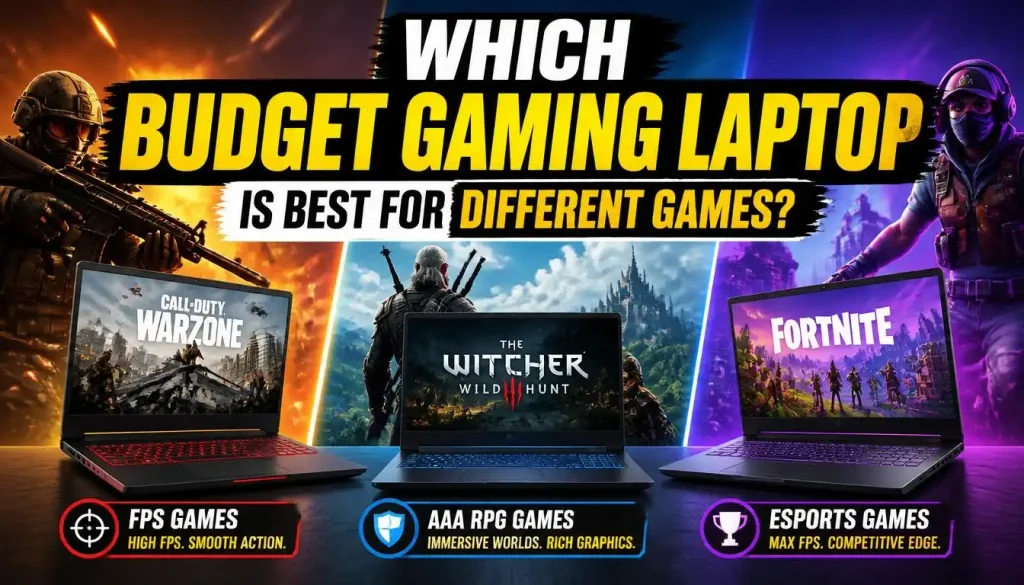
The best choice depends on which games you play. A laptop that runs a competitive multiplayer title smoothly may struggle with a demanding open-world game.
Best Budget Laptop for Fortnite and Esports Games
Competitive games often benefit from stable frame rates, responsive controls, and a high-refresh-rate screen.
Before buying, check benchmark results for the specific games you play. You may be able to save money by choosing a balanced midrange configuration instead of paying for a more powerful GPU than you need.
Best Budget Laptop for The Sims 4
The Sims 4 has more modest hardware requirements than many modern AAA games, making it accessible on a wider range of systems.
However, expansion packs, custom content, background applications, and future gaming needs can affect which laptop makes sense.
Review the game’s official The Sims 4 PC system requirements before making your decision.
For someone who mainly plays The Sims 4 and other light games, buying an expensive gaming laptop may be unnecessary. A reasonably priced laptop that meets the game’s requirements could be a better use of the budget.
Best Budget Laptop for Minecraft and Roblox
Minecraft and Roblox can run on a variety of computer configurations, but the experience depends on the game, settings, and other applications running at the same time.
For Minecraft, complex worlds, shaders, and heavily modded installations may require considerably more power than basic gameplay.
For Roblox, check the requirements of the experiences you actually play rather than assuming every experience has the same demands.
A laptop with sufficient RAM, a modern processor, and suitable graphics can offer a comfortable experience without requiring flagship hardware.
Can a Budget Gaming Laptop Run Steam Games?
Steam is a game distribution platform, not a single game with one hardware requirement.
Every game has its own requirements. A laptop that runs one game well may not provide the same experience with another.
Before buying, identify your five or six most-played games and check their system requirements on their individual Steam store pages or official publisher websites.
Compare the recommended specifications with the laptop you plan to buy. Pay particular attention to the GPU, RAM, storage, operating system, and any specific graphics features the game requires.
Best Budget Laptop for Modern AAA Games
Modern AAA games are usually the most demanding category in a budget buying decision.
If you want to play newer releases, prioritize GPU performance, graphics memory, cooling, and the ability to run games at your intended resolution.
You may need to use medium or high settings rather than maximum settings in some games. Upscaling technologies can help in supported titles, but they cannot guarantee that every game will run smoothly.
Check individual game benchmarks before assuming a particular laptop can handle your entire library.
How We Compare Budget Gaming Laptops
A useful recommendation should explain why a laptop is a good fit, where it falls short, and who should consider a different option.
For this guide, the most important comparison factors are:
- Gaming performance: Published benchmarks for relevant games and settings.
- Value for money: The complete specification relative to the current price.
- Display quality: Resolution, refresh rate, brightness, and panel quality.
- Cooling: Sustained performance, temperatures, and fan noise.
- Everyday usability: Keyboard, ports, webcam, battery life, and portability.
- Long-term value: Upgrade options, warranty, and likely ownership needs.
The recommendations in this article draw on published reviews and product information; they should not be interpreted as a claim that BestTopTake personally purchased and tested every laptop.
When comparing two models, try to use benchmark results from the same game, resolution, and graphics settings. Otherwise, the numbers may not provide a fair comparison.
For a broader comparison beyond the budget category, see our 2026 gaming laptop guide with top picks compared.
Is a Budget Gaming Laptop Good for Work, School, and Everyday Use?
Yes. A budget gaming laptop can handle many everyday tasks, including web browsing, office applications, video calls, programming, and some content-creation workloads.
However, the best choice depends on how you use your computer.
A gaming laptop may offer stronger graphics performance than an ordinary laptop at a comparable price, but it can also be heavier, louder, and less convenient to carry.
If you need one computer for assignments, office work, and gaming, prioritize a comfortable keyboard, enough RAM, an SSD, and a display suitable for extended use.
Battery life deserves particular attention if you spend long days away from a power outlet.
For a more detailed look at the trade-offs, read Can a Gaming Laptop Be Used for Work?.
Should You Buy a New, Refurbished, or Used Gaming Laptop?
A refurbished or used gaming laptop can offer better hardware for the same budget, but it comes with additional risks.
When a Refurbished Laptop Makes Sense
A refurbished model may be worth considering when it comes from a reputable seller with a clear return policy and warranty.
It can be particularly attractive if a previous-generation laptop offers a more capable GPU than the cheapest new model.
Compare the total cost, including any needed RAM or SSD upgrades, and check that the device has not been refurbished with unsuitable or incompatible components.
What to Check Before Buying a Used Gaming Laptop
Inspect the laptop carefully before committing to the purchase.
Check the screen for dead pixels, flickering, or physical damage. Test the keyboard, touchpad, ports, webcam, Wi-Fi, speakers, charger, and battery.
Run a game or benchmark for a reasonable period and watch for unusual fan noise, sudden performance drops, crashes, or unexpected shutdowns.
Also confirm the exact CPU and GPU, available storage, memory configuration, and whether the laptop has been repaired previously.
A low price does not make a laptop good value if it needs expensive repairs.
Warranty and Return Policy
Warranty coverage is especially important for a laptop with a dedicated GPU and a complex cooling system.
Confirm whether the warranty applies in your country and whether the seller provides a reasonable return window.
A used laptop with limited warranty protection may be a worse purchase than a slightly more expensive new laptop with proper support.
How to Find the Best Budget Gaming Laptop Deals

You do not necessarily need to buy the newest model to get a good gaming experience.
Here are practical ways to get more for your money.
Compare Previous-Generation Models
A previous-generation laptop can be worth buying when the price difference is substantial and its performance meets your needs.
Do not assume that the oldest or cheapest GPU is automatically the best bargain. Compare real benchmarks, graphics memory, power limits, and the performance required by your preferred games.
Check the Exact Configuration
Retailers sometimes sell several versions of the same laptop family.
One listing may include 8GB of RAM and a basic GPU, while another may have 16GB of RAM and a more capable graphics card.
Read the full specifications rather than relying on a product image or model-family name.
Compare More Than One Retailer
Check official manufacturer stores, established retailers, and reputable marketplaces.
Compare the complete price, including delivery, tax, accessories, and any necessary upgrade costs. Read the return conditions and confirm whether the seller is authorized to provide warranty service.
Watch for Seasonal Sales
Sales events can reduce prices, but the discount percentage alone does not tell you whether an offer is worthwhile.
Compare the current offer with prices from other retailers and similar configurations. A smaller discount on a better-equipped laptop can be a better deal than a huge discount on an underpowered model.
Which Budget Gaming Laptop Brand Should You Choose?
Brand reputation can help you build a shortlist, but the exact configuration matters more than the logo.
Lenovo LOQ: Worth comparing for performance-focused budget gaming and models with accessible memory upgrades. Review the Lenovo gaming laptop buying guide for more detail.
Acer Nitro: A useful starting point for buyers comparing entry-level and midrange gaming hardware. Check display quality, cooling, and the exact graphics configuration.
ASUS TUF Gaming: Compare the price, GPU power, cooling, and screen quality against competing systems rather than paying more simply for the brand name.
HP Victus: Worth considering for buyers who want a gaming laptop that also handles study and everyday work. Different Victus configurations can offer different levels of performance and portability.
MSI Cyborg and Katana: Compare individual configurations carefully, paying particular attention to cooling, screen quality, memory, and GPU power limits.
There is no single brand that is best for every budget or country. Buy the machine that gives you the right performance, usability, and warranty at a competitive price.
Common Mistakes to Avoid When Buying a Budget Gaming Laptop
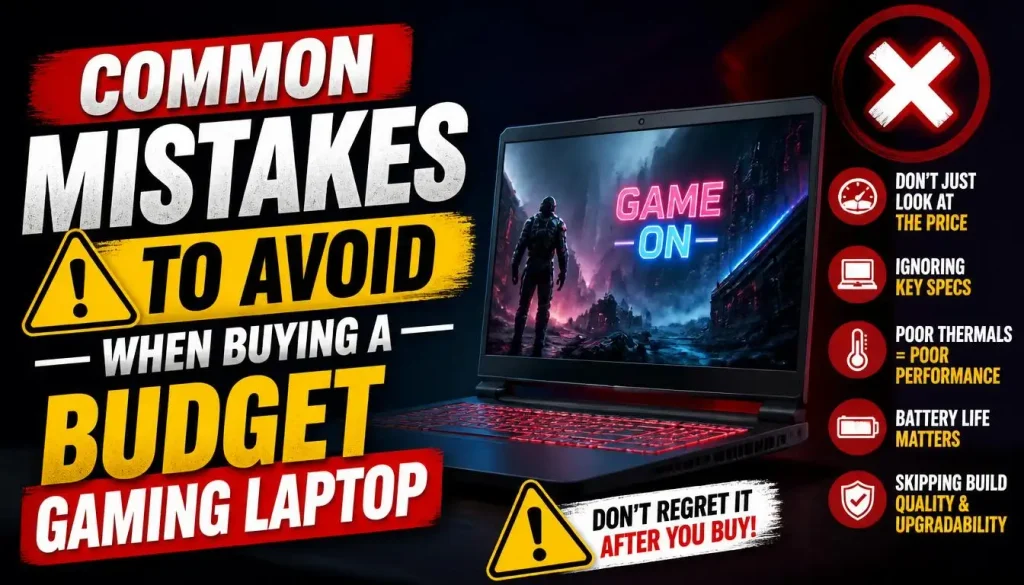
Choosing a Laptop Based on Its GPU Name Alone
The same GPU designation does not guarantee identical performance in every laptop. Check independent benchmarks and cooling performance before comparing prices.
Buying Too Little RAM
An 8GB laptop may look attractive because of its lower price, but upgrading memory later can cost more than expected or may not be possible.
For most buyers, 16GB is a more practical starting point.
Ignoring SSD Capacity
A 512GB SSD is adequate for many people, but a large game library can fill it quickly. Check the upgrade options before buying.
Paying Extra for Features You Do Not Need
Do not sacrifice a more capable GPU or enough RAM just to get RGB lighting, a premium design, or an unnecessarily high refresh rate.
Spend first on the components that improve your actual gaming experience.
Forgetting About Cooling and Warranty
A laptop that performs well for a short period may behave differently during long gaming sessions. Read reviews that discuss sustained performance, fan noise, and temperatures.
Also make sure you understand the warranty and return policy before buying.
Budget Gaming Laptop Buying Checklist
Use this checklist before purchasing a laptop.
- The laptop fits my budget, including taxes and any necessary upgrades.
- The GPU can handle the games I want to play.
- The processor is suitable for my gaming and everyday workload.
- The laptop has at least 16GB of RAM, or an affordable and confirmed upgrade path.
- The SSD has enough space for my current game library.
- The display offers suitable resolution, refresh rate, and brightness.
- Cooling and fan noise are acceptable according to reliable reviews.
- Battery life and weight suit my everyday needs.
- The exact configuration matches the retailer’s description.
- The seller, warranty, and return policy are trustworthy.
If a laptop meets these requirements and performs well for the games you actually play, you are much more likely to be satisfied with your purchase.
Frequently Asked Questions
What Is the Best Budget Gaming Laptop for Most People?
A good starting point is a sale-priced Acer Nitro, Lenovo LOQ, ASUS TUF, or HP Victus with a capable dedicated GPU, 16GB of RAM, and an SSD. The best specific model depends on its configuration, independent performance results, and current local price.
What Is the Cheapest Gaming Laptop Worth Buying?
There is no universal minimum price. Cheaper laptops can work well for esports and lighter games, but demanding games require stronger graphics hardware. Compare the exact specifications and performance rather than choosing solely by price.
Can a Budget Gaming Laptop Run Modern Games?
Yes, some budget gaming laptops can run modern games well at 1080p, depending on their graphics hardware and the game’s requirements. You may need to reduce graphics settings in more demanding titles. Check benchmarks for the actual games you intend to play.
Is 16GB RAM Enough for a Budget Gaming Laptop?
For many gamers, 16GB is a sensible starting point for gaming and everyday multitasking. Some demanding games and creative workloads may benefit from more RAM, but you should check the requirements of your intended software before paying extra.
Is a Budget Gaming Laptop Better Than a Gaming PC?
A gaming laptop is better when portability and having one computer for several tasks matter most. A desktop can offer better performance per dollar and more straightforward upgrades, but it is not as convenient to carry around.
Your choice should depend on where you play, how much space you have, and whether you need a portable computer.
How Long Should a Budget Gaming Laptop Last?
A well-maintained gaming laptop can remain useful for several years, but its practical lifespan depends on build quality, cooling, usage, and changing game requirements.
A laptop may still work perfectly while becoming less capable of running newer games at high settings. Keeping the cooling system clean and choosing suitable hardware at purchase can help preserve its usefulness.
Is It Better to Buy a Used Gaming Laptop?
A used gaming laptop can be good value if it is in excellent condition, has suitable hardware, and comes from a trustworthy seller. However, battery wear, previous repairs, overheating, and limited warranty coverage can make a cheap listing risky.
Compare its total cost and condition with a new laptop before deciding.
Final Verdict: What Is the Best Budget Gaming Laptop?
The best budget gaming laptop is not necessarily the cheapest model or the one with the largest specification list. It is the laptop that delivers the performance you need at a price you can comfortably afford.
Start by deciding which games you want to play, then shortlist models with suitable dedicated graphics, 16GB of RAM, sufficient SSD storage, and effective cooling. Compare the exact configurations from Acer Nitro, Lenovo LOQ, ASUS TUF, HP Victus, and MSI before making your choice.
The Acer Nitro V 16 AI is worth investigating as a budget candidate, but it is not automatically the best buy in every country or at every price. A competing model may offer better value when discounts, warranty coverage, and local availability are considered.
Most importantly, verify the specifications, read independent reviews, and compare current prices before ordering. A little research can help you avoid paying for unnecessary features—or buying a laptop that struggles with the games you really want to play.
My final advice: Buy for your actual gaming needs, not the marketing. A well-chosen budget gaming laptop can deliver an enjoyable gaming experience without forcing you to spend more than necessary.

“Electronics aren’t just gadgets. They’re the invisible threads that connect our work, our play, and our world.”
I’m Julian Reed, and my obsession with tech started at age twelve, when I soldered a defunct gaming console back to life in my bedroom. That tiny green screen taught me that technology isn’t just a black box, it’s a tool you can master.
After fifteen years as a hardware engineer and a decade reviewing consumer tech, I’ve joined this team to cut through the jargon. Whether you’re building a high-end home theater or just need a laptop that won’t lag, I’m here to help you choose the gear that truly powers your life.